

The efficient management of freight rates is the foundation of modern logistics. The Rate Management System (RMS) by SeaRates gives freight forwarders, carriers, shippers, and logistics providers power over their tariffs with outstanding precision and speed.
Dealing with Full Container Load (FCL), Less than Container Load (LCL), or multimodal shipments? RMS simplifies complicated rate management and turns it into a smooth, cloud-based process that is integrated with the global SeaRates ecosystem for real-time updates and bookings.
Let’s take a closer look at this powerful rate management software that is changing the way you handle and promote freight rates.
How does the tool work?
- Sign up here to use RMS in your Virtual Office, SeaRates Express, or SeaRates Enterprise;
- Become a DFA Premium Member or authorized Vendor for access to RMS as part of your package;
or
- Let us know about your intention for your own Rate Management System and get a customized solution to meet your needs.
Let’s take a closer look at the system’s functionality.
Who can benefit from RMS and how?
SeaRates’ Rate Management System is a one-stop shop tool that is well-suited for a variety of logistics situations. Below are some basic scenarios in which you can use the core capabilities of this tool:
- Logistics providers (freight forwarders and carriers): RMS is a central hub for storing and managing contractual rates, uploading the tariffs in seconds through Excel or manual input, and later on distributing them either to the clients or partners. Freight forwarders can include prices for any route, determine commissions, and then share these via the SeaRates platform or a white-labeled website in no time.
- Shippers and traders: Use the SeaRates Enterprise solution together with RMS to manage contractual rates and book with vendors directly. As a result, the whole process is done quicker with up to 60% less time and is automated with error-free quotations.
- Enterprises with internal teams: RMS is your internal database for the team to quickly access the different rates. A good example is when a big logistics company can keep thousands of tariffs for all transportation types (sea, air, road, and rail), thus making the teams refer to them for the rapid booking decision.
- Digital Freight Alliance Members: Being a Member of the DFA and using RMS gives you access to the wide networking feature with the subscription to partner rates. This means that the logistics providers can sell their rates in the new geographical areas with the addition of a commission already considered in the price. For instance, a European forwarder can buy the rates of an Asian partner and then sell them online, thereby widening the market.
- Logistics businesses with online platforms: Incorporating RMS into your website as a white-labeled solution or connecting to the API will let clients find and book rates directly with you. Enhance the transparency and, thus, drive the sales by real-time tariff management and showcasing.
How to manage freight rates with RMS?
The Rate Management System is there to make freight rate management quicker.
🔔Watch our RMS guide on YouTube or go to the manual below.
Follow our instructions and get the most out of it, taking Full Container Load (FCL) as an example:
1. Access the RMS Dashboard
Log in to your Virtual Office or enterprise system. Navigate to Rates and Tariffs to access the RMS dashboard. Here, you’ll see segmentation by transport modes (sea, road, and air) and options for individual quotations.

2. Select the Shipping Mode
Choose the desired mode, such as FCL for full container shipments. The dashboard displays tables for modalities like Port-to-Port, Port-to-Door, Door-to-Port, and Door-to-Door. For simplicity, start with port-to-port to manage rates efficiently.

3. Add a New Rate
Click Add Rates to create a new entry. Enter the route details:
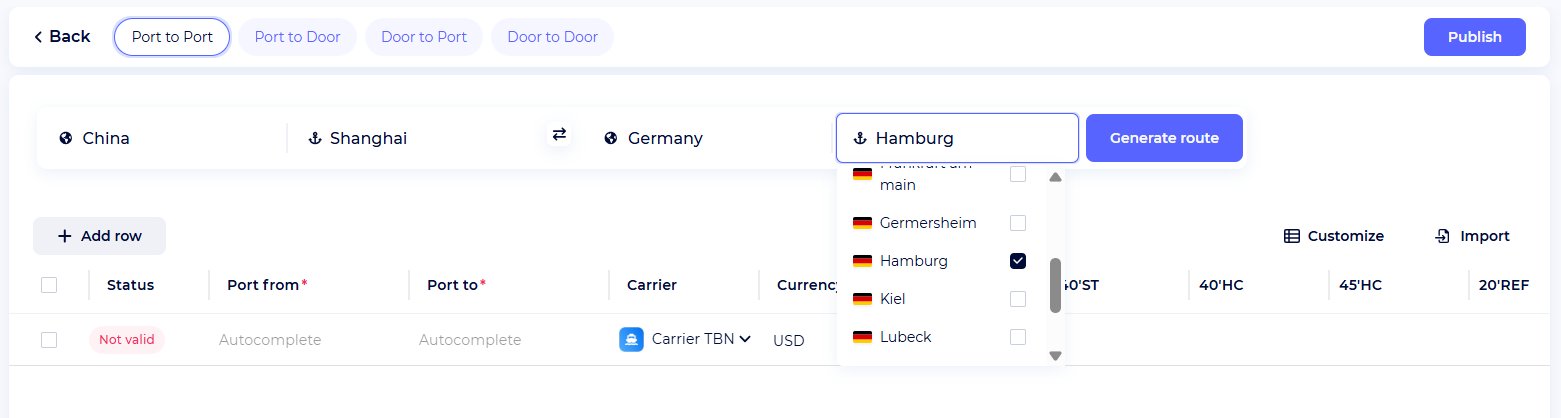
- Origin and Destination: Enter the ports of departure and arrival (for example, from Shanghai to Hamburg). Use the autocomplete function of SeaRates to select the ports accurately.
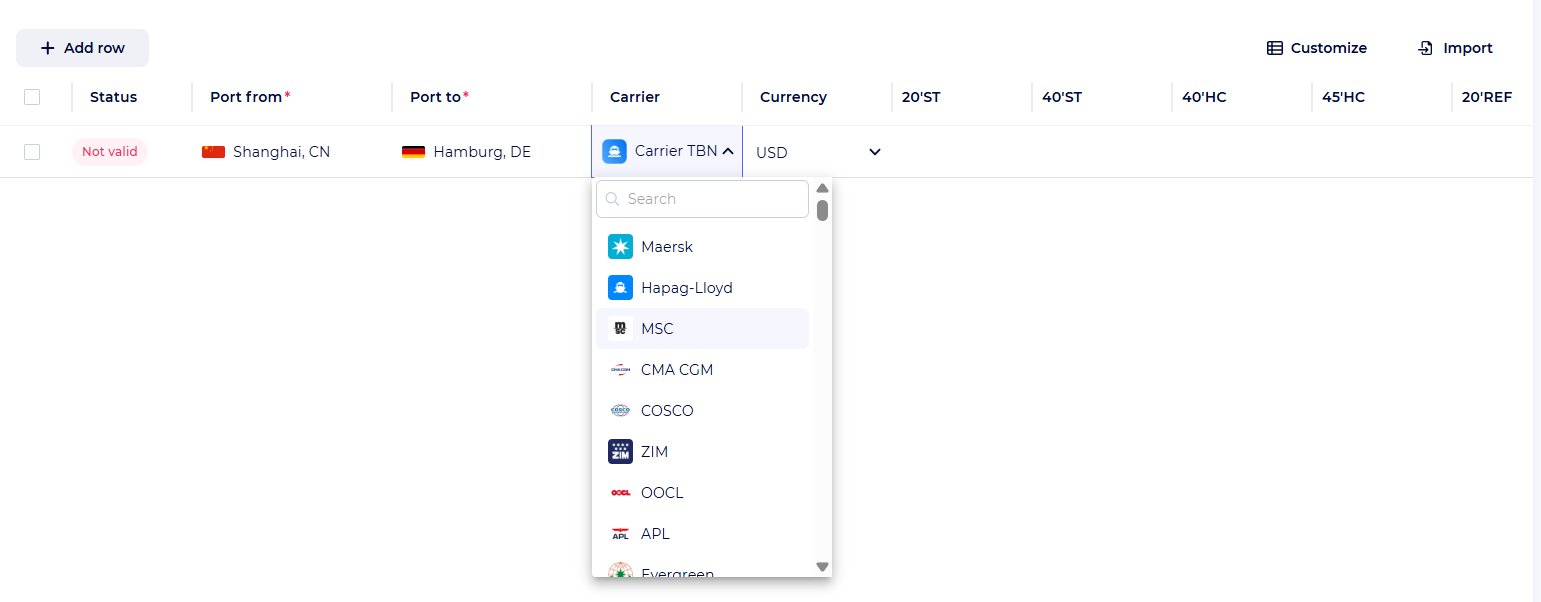
- Carrier: Pick a carrier, for example, MSC, from the list.
- Container Types and Rates: Rates for various containers should be specified (for instance, $2,000 for 20’ standard, $3,500 for 40’, $4,800 for 40’ reefer).
- Additional Charges: Determine whether the charges (Origin Terminal Handling Charges (OTHC) or Destination Terminal Handling Charges (DTHC)) are included or not.

- Validity Dates: Choose the period for which the rate is valid (by default, two weeks). It is possible to set more than one fare for the same route with different validity dates, provided that the dates differ by at least one day.
- Commission: Determine the selling rates by adding a fixed or percentage-based commission. For direct selling rates, leave it empty or add a commission to show the difference between buying and selling rates.

- Vendor: You may select a vendor from SeaRates' ecosystem or provide your own.
- Additional Details: Provide transit time, CO₂ emissions, or notes (for example, terms such as LEO, LILO, or FO basis). Create templates to store the conditions that occur frequently.

4. Customize the Table
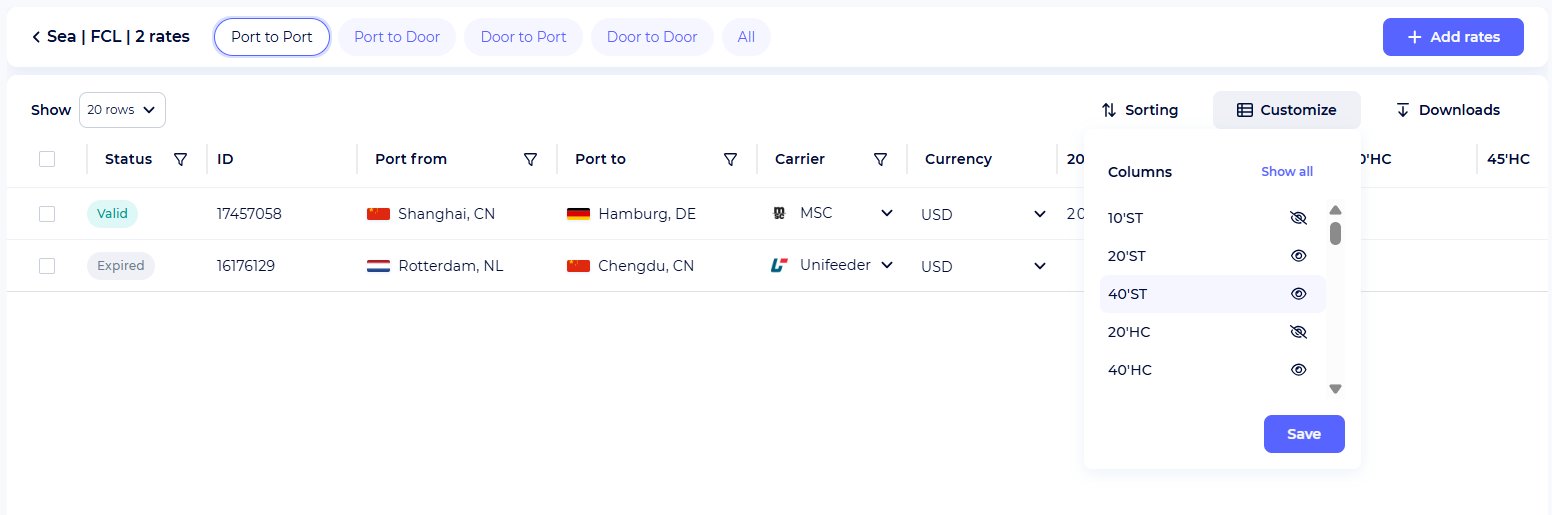
Use filters, sorting, and column customization to organize prices. Similarly, you can hide or display specific columns (e.g., container types, transit times) or reorder them according to your needs. Abbreviations are explained with tooltips to ensure maximum accuracy and prevent misunderstandings.

Rate Publication
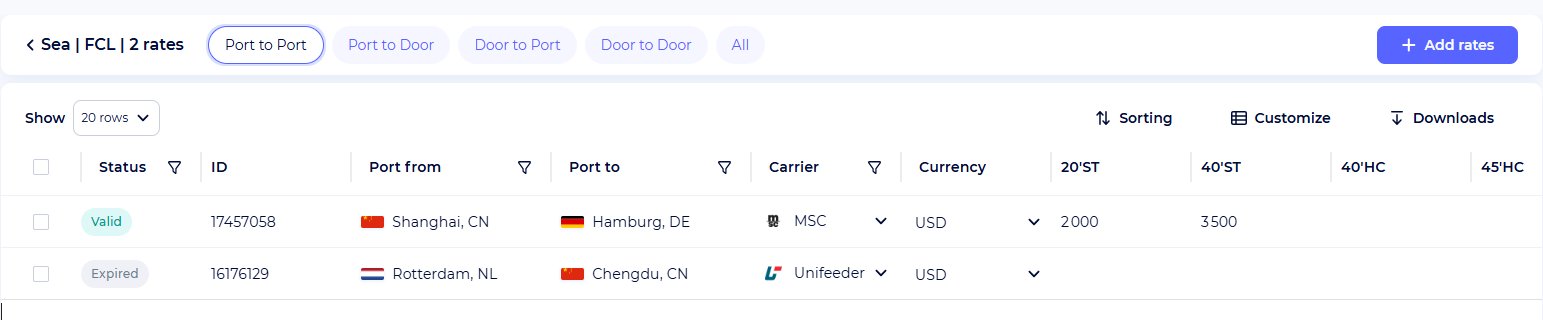
The tariff is confirmed automatically after filling in all the required fields (route, carrier, currency, and tariffs). Clicking the “Publish” button will assign a unique identifier to the tariff. After that, the tariff can be viewed in a summary table or shared with customers.
Rate Management and Updating
Modify rates that are already there, change notes, or make templates for scenarios that happen frequently. Use the feature of mass uploading via Excel to bring in thousands of rates at a time, or, in addition, export them for data analysis. Monitoring of rate validity and errors during upload will be done for management, hassle-free.
Moreover, your downloads will be immediately available as you export any tariff.


Rate Search and Sharing
The Search feature helps you find your rate easily (for instance, Shanghai to Hamburg). The rate is displayed on the website of SeaRates along with the details such as the carrier, transit time, and CO₂ emissions.
Provide your customers with the unique link to the rate for booking purposes, or it can also be incorporated into your company’s website as a part of Logistics Explorer.


Take advantage of advanced features
- Subscriptions: Within the Digital Freight Alliance, it’s the partner rates that you can subscribe to and offer for resale with your margin.
- Templates and Fees: Efficiently manage quotations by keeping templates of fees, penalties, or schedules that are custom-made for future use.
- Quotation System: The RMS can be expanded with the Quote Management System to generate intricate multimodal quotes and to disseminate them via unique links.
White-label integration
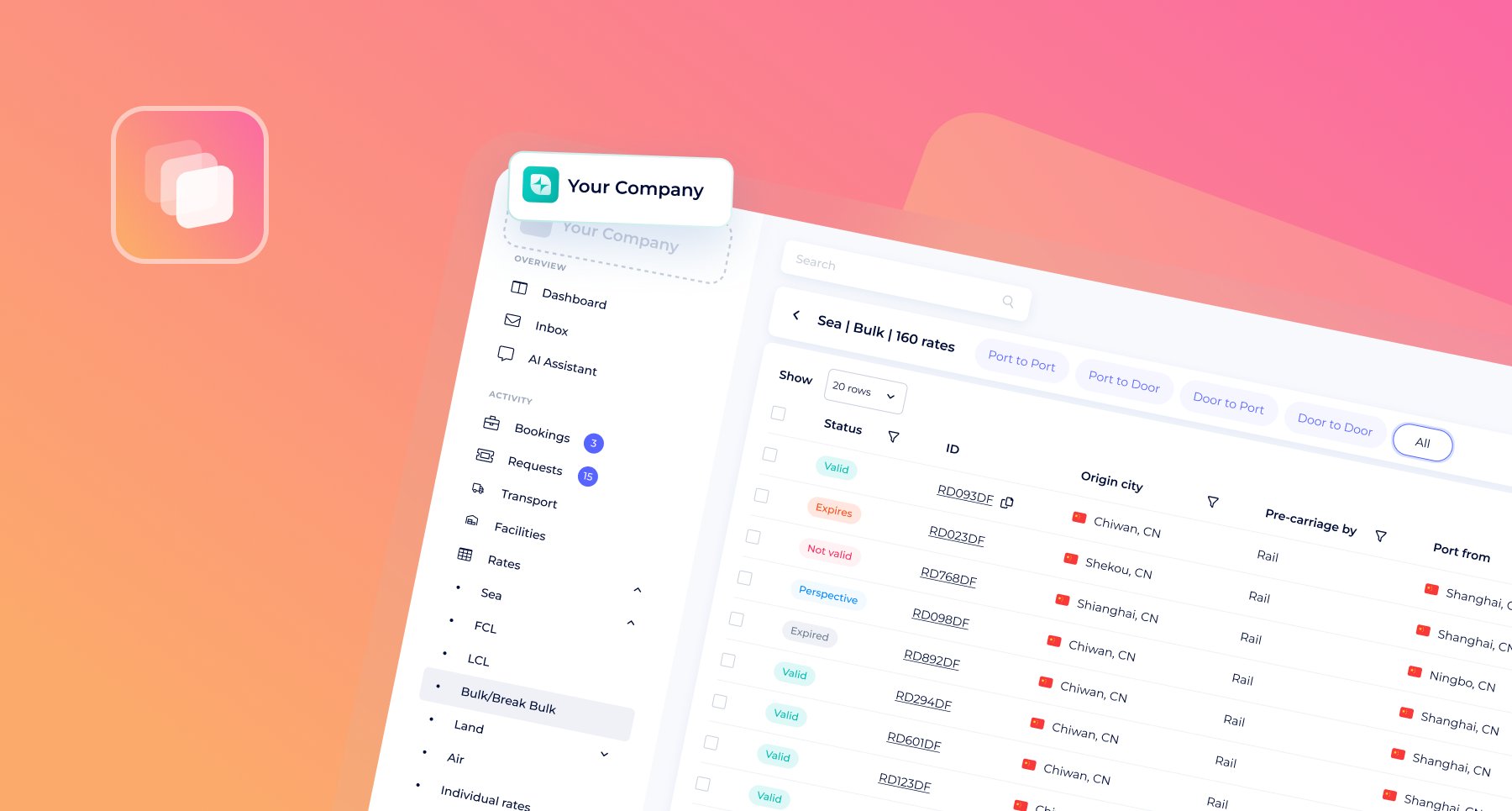
White-labeled RMS is digital rate management that transforms your website into a significant logistics hub. Integrate this rate optimization tool to enable your customers' searches and bookings for freight rates directly on your platform with your logo. This way, you increase your sales by providing live tariffs for sea, air, road, and rail shipments. Quotations and booking experiences will be professional and under your brand, so you will have an opportunity to upsell.
You can find the complete list of web-integrated features here.
API connection
Connect the RMS API to allow advanced cargo rate management via your CRM, ERP, or TMS system. Just add, update, and share rates without any extra work with this logistics rate system. The rates would be in sync with the SeaRates worldwide database.
Show your rates on SeaRates.com or your site, promote rates with partners, and accept bookings globally. For a customized setup, don't hesitate to explore the RMS API documentation in the SeaRates Developer Portal.
Fill out the Request an IT Quote form to tell us what you need, or write to us at [email protected] for a digital freight management solution that is specifically designed for your needs.
