
Wondering about logistics automaticity? We’ll introduce you to a smart delegation where the majority of tasks are running without extra involvement.
What does your daily business look like? Freight tariff research, tracking a container, route planning, and other challenges that the SeaRates digital ecosystem assists with. All of these should be customized and robotized.
Meet the SeaRates applets — keys for automation. They are designed to connect your logistics operations with the help of popular tools: Make, Zapier, IFTTT, and n8n.
What is the applet?
‘Applet’ is the rule or scenario of how your tools will work according to your settings and needs. This way, you optimize daily flows and tasks, as well as handle data across various systems.
Connect container tracking with update notifications on the customer’s email, automatically fill the CRM for each new request, monitor tariffs and get instant alerts about the right ones, and much more. Manual engagement is significantly less required when an SMS is sent to your customer with the new shipment status, the CRM is updated, inventory data is synchronized due to ETA, and all of this is set with a single SeaRates applet.
Benefits of logistics applets
The way all automated
Instant notifications to the customer, data updates, planning and accounting, analytics gathering, and further task planning into your company’s online desk. Add necessary tasks and points of your work channel, mix platforms, set your own order of the workflow, and customize logistics step by step.
Do not limit your resources with manual routines. The fundamentals are automated, so it’s your turn to scale with strategic goals.
Barrier-free integration
Don't process each booking manually. There is no need to rush through various systems by yourself. Adjust the process across different tools, internal systems, and more. Applets are your way to connect everything in one place: from order processing, communication with customers, inventory management, fleet organization, and cargo monitoring to successful delivery.
At the same time, all confirmations are sent, and the details are updated on a real-time basis in your CRM/TMS/ERP systems.
Improved accuracy
The human eye can get confused because no one is immune to sudden mistakes. However, constant monitoring of logistics and data synchronization between multiple accounting systems is a real lifesaver for supply chain management. Thanks to automatic updates, you will not miss a single shipment delay or potential stock shortage.
High security
You have complete control over access to various parts of the company's internal systems and protect sensitive information such as customer data and financing. Automation tools only simplify logistics in permitted areas, and you control and edit their activities.
For example, when using an applet to track cargo, all data about the location of the cargo and its status is transmitted via reliable protocols to prevent data leaks.
Let’s dive into the practical usage of SeaRates applets for popular tools for workflow automation.
SeaRates applets: Automate your logistics experience
SeaRates applets are designed to integrate different digital logistics tools, your company’s internal systems, APIs, and more. What are SeaRates applets for Make, Zapier, IFTTT, and n8n?
1. Make (ex Integromat)
- Trigger: Truck owner has received a new transportation request from a shipper on the SeaRates.com platform via the Logistics Map Transport.
Sure, the SeaRates team will connect both of you, but there are many other actions to handle the request from your side.
- Action: Add customer details into CRM/manage booking alerts/collect shipments updates
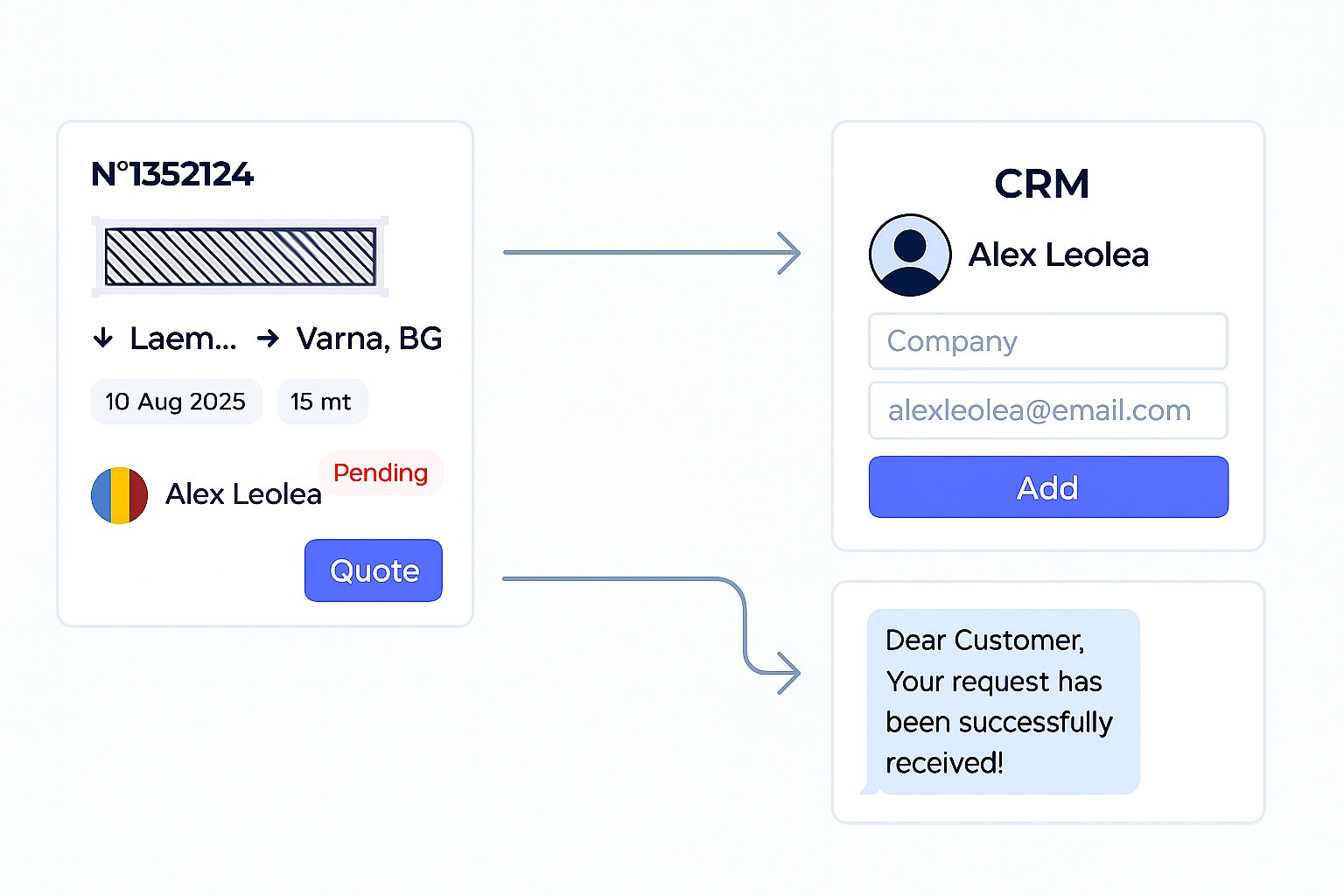
SeaRates applets for Make can be used for many scenarios:
Freight rates monitoring
- Trigger: Shipper gets a new freight rate for the selected destination at the Logistics Explorer
- Action: Tariff, route, and carrier details automatically added into your database for further review
Real-time tracking alerts
- Trigger: Your shipment status has changed in the Container Tracking
- Action: Shipment details updated in your database and notification sent to the customer
Interruption forecasting
- Trigger: Commonly used in inventory management and shipping tracking
- Action: Get notified via email or messenger to prevent delays, stock-outs, detention, and other issues in the supply chain
2. Zapier
Applets for Zapier are called ‘zaps’ and are used for automatically connecting activities as well:
Booking management
- Trigger: Booking confirmation or status update in the Booking System
- Action: SMS or email alert to notify the customer
Leads data collection
- Trigger: New request for your warehouse facilities via the Logistics Map Warehouse
- Action: Automated request recording into your CRM
Integration with your logistics systems
- Trigger: You have received a new rate from the courier for your e-commerce
- Action: Tariff details transferred into your ERP system
3. IFTTT (If This Then That)
Here is how SeaRates applets are used for ‘what-if’ scenarios:
- If This (trigger): Updates on ship schedules by points, particular vessel, or port
- Then That (action): Save info and share custom alert
- If This (trigger): New freight index added for selected route or carrier
- Then That (action): Send updates to the messenger and share on social media
4. n8n
SeaRates n8n applets are designed to complete your workflow with more complex scenarios – several actions across systems:
- Trigger: You booked with SeaRates, and the shipment has changed status
- Action 1: Save shipment ID for Container Tracking
- Action 2: Update status in your CRM
- Action 3: Notified consignee via email or SMS
- Trigger: Carrier created a customized route in Route Planner
- Action 1: Share shipment ID & unique access with customer
- Action 2: Add shipment monitoring to the Container Tracking
- Action 3: Save shipment in the carrier’s Booking System
- Trigger: Setting multiple rules for better logistics
- Action 1: Automated requests for valid freight rates via the Logistics Explorer API
- Action 2: Compare routes by distance & transit time via the Distance & Time tool
- Action 3: Transfer data and gather analytics in the ERP system
How to set up applets for maximum effect?
Disclaimer: Ask your account manager to make sure you have access to selected web tools and APIs for smooth integration with Make, Zapier, IFTTT, and n8n. We are always here to provide technical support for you.
Check how to adjust the integration of SeaRates tools across platforms:
SeaRates applets for Make
- Step 1: Register on the Make platform
- Step 2: Create a new scenario and select SeaRates as one of the sources
- Step 3: Set up triggers; for example, to monitor new rates in Logistics Explorer, select the appropriate trigger (e.g., “New Freight Rate”)
- Step 4: Add actions, such as automatically adding new rates to your database or creating new records in CRM
- Step 5: Test the scenario to make sure everything works correctly
- Step 6: Launch automation and set up regular updates
SeaRates applets for Zapier
- Step 1: Sign up for Zapier and connect your SeaRates account via API
- Step 2: Create a new ‘zap’ and select SeaRates as the source or action
- Step 3: Set up triggers: for example, change the status of cargo in Container Tracking, select a trigger to update the status in your database
- Step 4: Define actions: automatically send a notification to the customer or update data in CRM after the trigger
- Step 5: Test the zap
- Step 6: Launch automation and set up regular monitoring to keep updates up to date
SeaRates applets for IFTTT
- Step 1: Register with IFTTT and add SeaRates as a source or tool
- Step 2: Set up the “If This” trigger: for example, updating ship schedule data
- Step 3: Set up the “Then That” action: sending a message to a messenger or automatically posting updates on social networks
- Step 4: Test the correctness of the operation and activate automation
SeaRates applets for n8n
- Step 1: Register with n8n
- Step 2: Create a new n8n workflow and select SeaRates as one of the tools or sources
- Step 3: Select triggers: for example, a new freight index or a change in delivery status
- Step 4: Add several actions: update data in CRM, notify customers via email or SMS, and save information in the database
- Step 5: Test the workflow and launch automation
Enjoy automated management
The main goal of the SeaRates applets is convenient optimization. Try simple and complex scenarios of how digital shipping should be tailored to your needs. Set the logistics roadmap and make a few clicks to make it live!
Any questions left on how this solution assists your business?
You are always welcome to reach out to our experts at [email protected]. Be ready to jump into the middle of simple and smooth logistics!
