
The most efficient way to handle repetitive logistics requests isn’t to do them more quickly, but rather to stop starting from scratch.
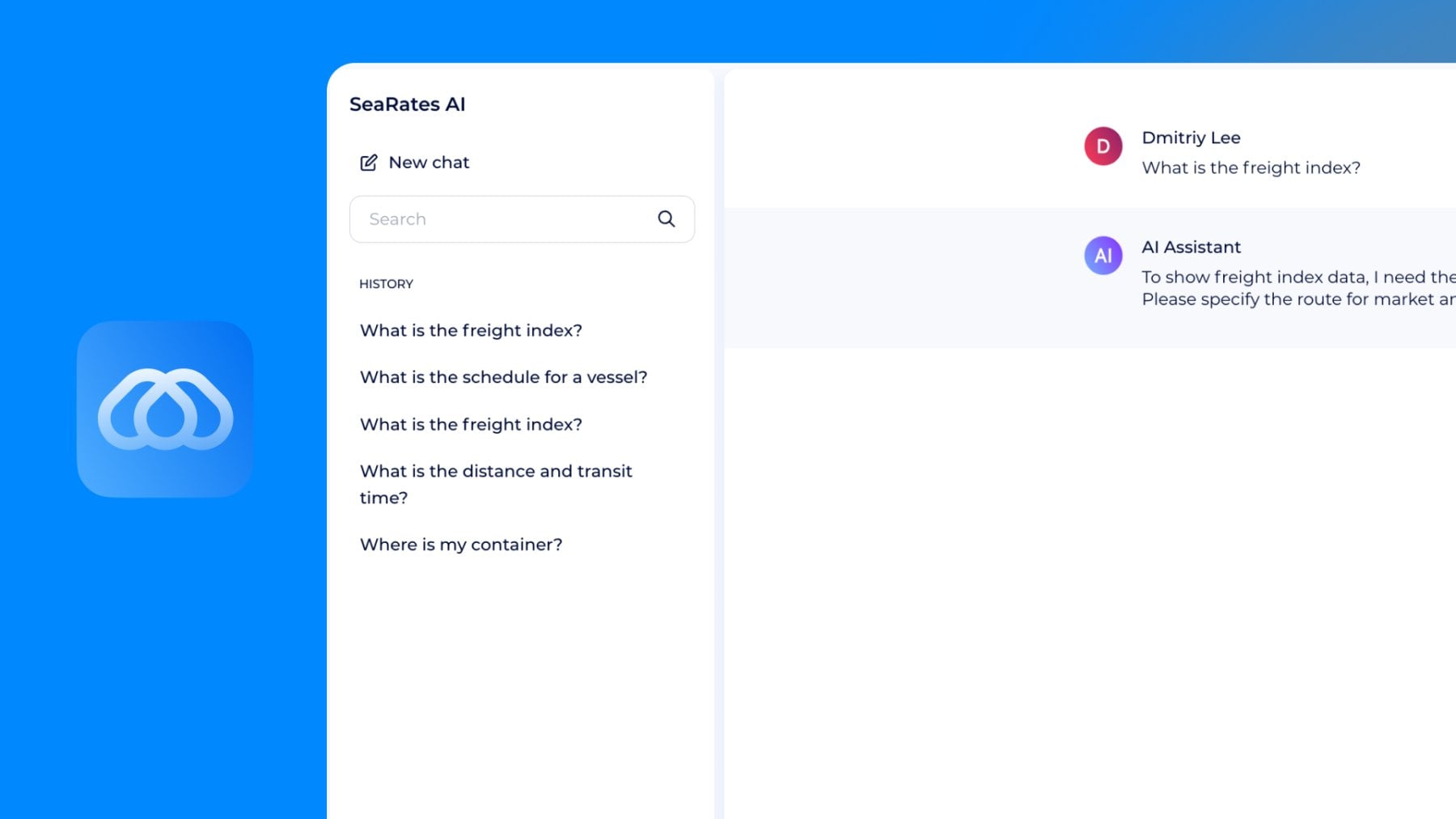
SeaRates AI Assistant can currently respond to users in just seconds, providing rates, tracking, and answers to requests. Now, the new chat history feature allows users to save, organize, and apply these past conversations to new requests.
That's exactly the way SeaRates AI Assistant reps your focus on high-priority tasks and avoids messiness in workflow for quoting, updating shipments, and communicating with the client.
What is the new chat history feature in SeaRates AI Assistant?
The SeaRates AI Assistant is intended to assist with logistics operations, such as rate calculation and shipping service inquiries; provide information about a shipment; and respond to clients.
The new feature of chat history allows you to save and manage your conversations, enabling you to reuse them instead of having to recreate them.
Rather than treating each query as a separate occurrence, you can now:
- Return to previous queries
- Reuse structured responses
- Maintain context for repetitive operations
The key shift of this update: you’re moving from one-time chats to convenient reusable workflows.
How to organize AI conversations and reuse data insights in logistics workflows
The AI Assistant combines the functionalities of all SeaRates tools and knowledge bases that are most effective when used for recurring tasks. The kind that appear daily in logistics operations.
For example:
- One chat — FCL quote explanations from Logistics Explorer embedded in AI chat;
- Second chat — customs documentation guidance powered by Smart Documents and logistics insights;
- Third chat — templates for client email responses;
- Fourth chat — shipment updates and delays communication templates according to the Container Tracking tool;
- and many more requests.
Return to the exact context, reuse previous answers instantly, and avoid re-explaining the same logic again. So, you can create an entire working library across your chat insights.
When should you rename, save, or delete AI chats?
Your logistics system will only work if data insights are easy to find and relevant. Here are the simplest rules to manage an AI Assistant in your Virtual Office:
Rename — when the chat has long-term value. Use clear, task-based names, for example:
- “FCL quote – Asia to EU”
- “Customs docs – electronics”
- “Delay explanation template”
Save — when you will likely reuse it. If the request:
- happens more than once
- involves structured logic
- is used in client communication
→ it should be saved.
Finally, delete — when it adds noise, because not every chat should stay. Remove:
- one-off questions
- irrelevant tests
- outdated info
How does the AI Assistant reduce repetitive work in freight operations?
Instead of rewriting similar responses, re-explaining the same logistics details, or switching between contexts, logistics teams can reuse existing AI conversations and adapt them to new cases.
Without chat management, you’ll suffer from the same explanations being rewritten, responses varying between team members, and time being lost switching context.
In real terms, this means faster response times to clients, less manual writing, and fewer errors in repeated communication.
For teams handling a high volume of requests daily, this directly translates into:
- more processed requests without increasing workload
- more predictable communication quality
- less dependency on individual experience
Ways to integrate
As a part of the SeaRates AI ecosystem, you can access AI Assistant as a web app in your Virtual Office Profile, get web integration, and connect to our API:
- For web access, open your Virtual Office and find AI Assistant in the Overview section. Start with a new chat or go to your History to continue previous requests.
- With SeaRates AI web integration, you’ll get a white-labeled solution to customize AI Assistant chat under your brand and let you provide localized smart Chat.
- Via the API connection, you can synchronize existing systems with our AI Assistant Chat or create your own application powered by generative AI for logistics. Check out API documentation for smooth integration.
Final thoughts
It’s necessary to stop overwhelming logistics planning with more tools if the main issue is repetitive and inefficient work. Let’s keep a minimalistic approach for streamlined and tailored shipping management. AI Assistant by SeaRates has been designed for practical impact with no extra effort: do all the work once and impact your own progress.
FAQ
How does SeaRates AI Assistant help me with daily logistics tasks?
The SeaRates AI Assistant supports everyday logistics activities by explaining logistics terms and shipping docs; calculating freight rates; tracking parcels and shipments by sea, air, rail, and road; choosing routes; and much more to help freight providers communicate with clients based on real-world insights. The AI Assistant delivers structured data that you can access from your Virtual Office Profile and use later in chat history to request live updates.
Is the AI Assistant helpful when my requests are similar?
Yes, here the AI Assistant delivers maximum assistance. The chat history stores your previous responses, which you can use to create new quotes, shipment status updates, or documentation requests.
How can teams use AI Assistant more effectively?
Teams need to administer their operations through AI Assistant by SeaRates to achieve their optimal performance. Teams can use the chat history as a reference to respond similarly to a situation. The group can handle the situation through standardized replies, saved in their chat history.