
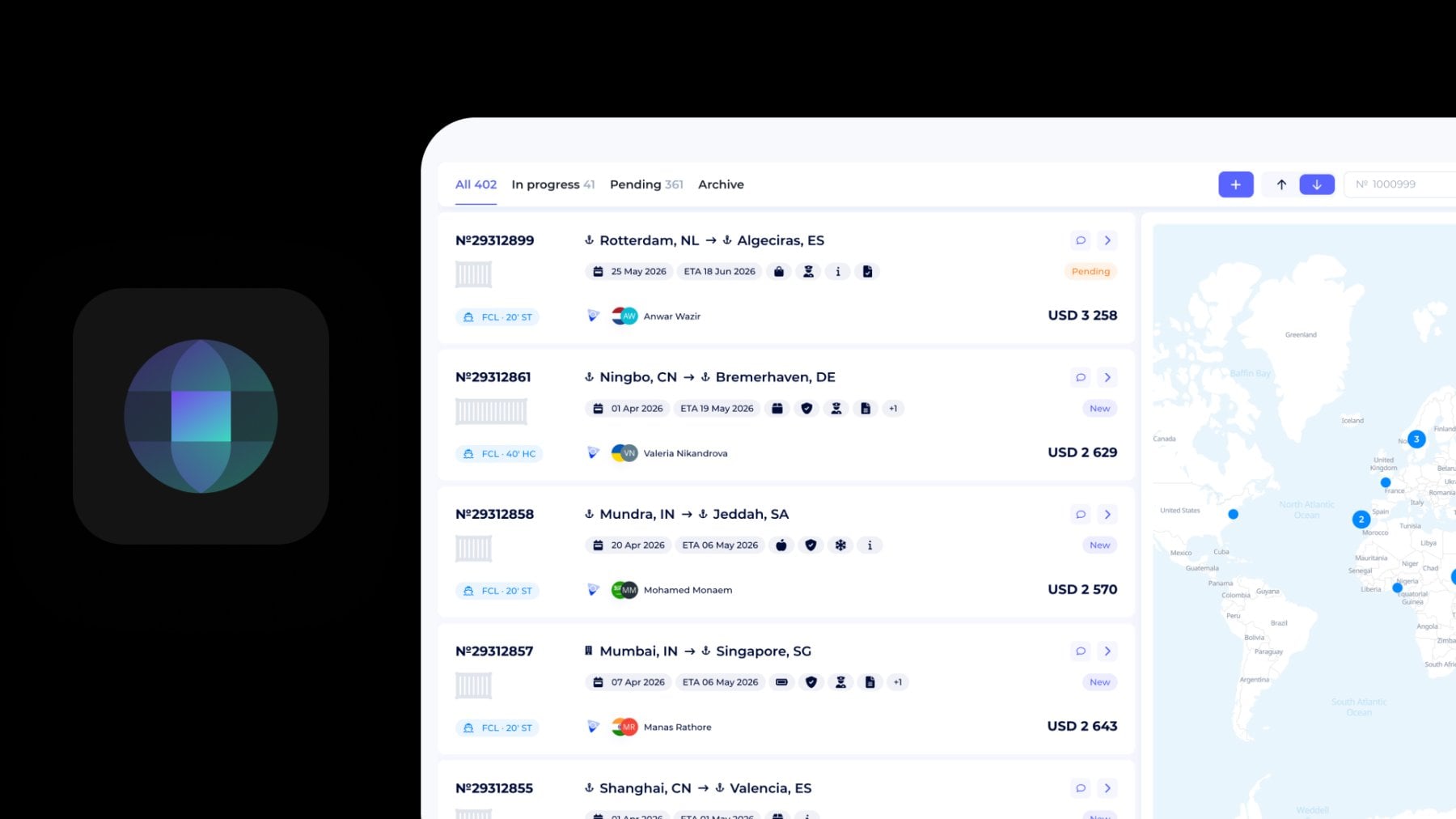
The most effective way to manage sea freight bookings is to keep shipment timelines, tracking events, shipping instructions, documents, freight charges, and booking communication inside one operational workspace.
Instead of switching between emails, spreadsheets, messengers, and separate shipment tools, freight forwarders and logistics providers can manage the entire sea freight booking workflow — from booking creation to tracking milestones, finance, and payment status — in one place with the SeaRates Booking System.
What is the Booking System?
The Booking System by SeaRates is a freight booking management platform designed for logistics companies, freight forwarders, and sea freight operators.
The system helps manage:
- sea freight bookings
- booking statuses
- shipment milestones
- tracking events
- shipping documents
- financial information
- shipping instructions
- customer communication
- operational coordination
Unlike manual booking workflows, the Booking System centralizes shipment operations and connects all booking-related actions in one interface.
Who uses booking management systems in logistics operations?
What can you do with the Booking System? The different logistics teams use booking management systems to address particular operational bottlenecks that occur during different stages of sea freight bookings based on SeaRates logistics workflows and their operational shipment coordination processes.
| Logistics role | Common operational bottlenecks | How the Booking System improves processes |
| Freight forwarders | Shipment updates scattered across emails, spreadsheets, and carrier communication | Centralizes booking coordination, shipment milestones, and customer communication in one workspace |
| Logistics providers | Lack of visibility between operations, documentation, and finance teams | Connects shipment tracking, booking details, documents, and payment information across departments |
| NVOCC operators | Difficulty managing container movements and booking status changes across multiple routes | Provides structured booking timelines and operational shipment tracking |
| Sea freight carriers | Manual coordination of shipment updates and booking confirmations | Simplifies operational visibility and booking lifecycle management |
| Export and import teams | Delays in shipping instructions and document approvals | Organizes shipment documents, cargo particulars, and operational requirements in one system |
| Operations departments | Fragmented communication between customers, agents, and logistics partners | Reduces operational bottlenecks through consolidated freight coordination |
| Shipment coordinators | Difficulty in monitoring multimodal shipment events across sea and inland transportation | Enables route-based tracking and milestone management across transport stages |
| Multimodal transportation managers | Separate operational workflows for sea, truck, and inland transport events | Consolidates multimodal shipment coordination into one operational process |
As shipment volumes increase, SeaRates operational process shows that logistics companies increasingly replace fragmented booking coordination with centralized freight booking systems to improve shipment visibility, reduce manual communication, and simplify operational management across the booking lifecycle.
How to manage bookings in the SeaRates Booking System
Step 1: Open the Booking Dashboard
Log in to SeaRates account in Virtual Office and open the Bookings section from the left-side menu.
The dashboard provides access to:
- all bookings
- shipment statuses
- booking filters
- route visualization
- booking search
- shipment map overview
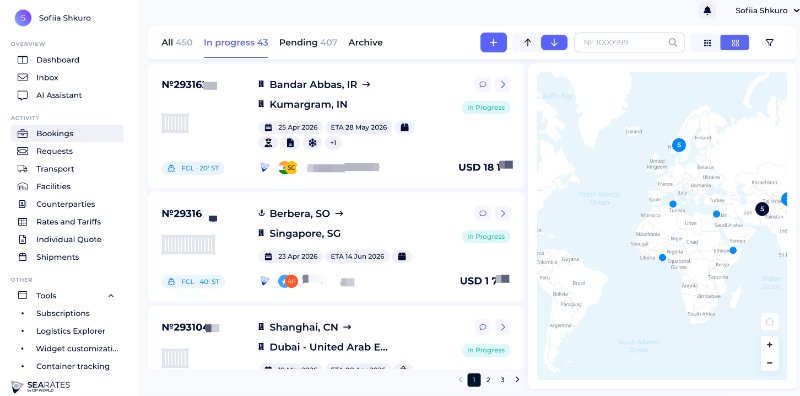
You can organize bookings by status:
- All
- In progress
- Pending
- Archive
The system also displays shipment routes and booking distribution on the interactive map.
Step 2: Create a booking
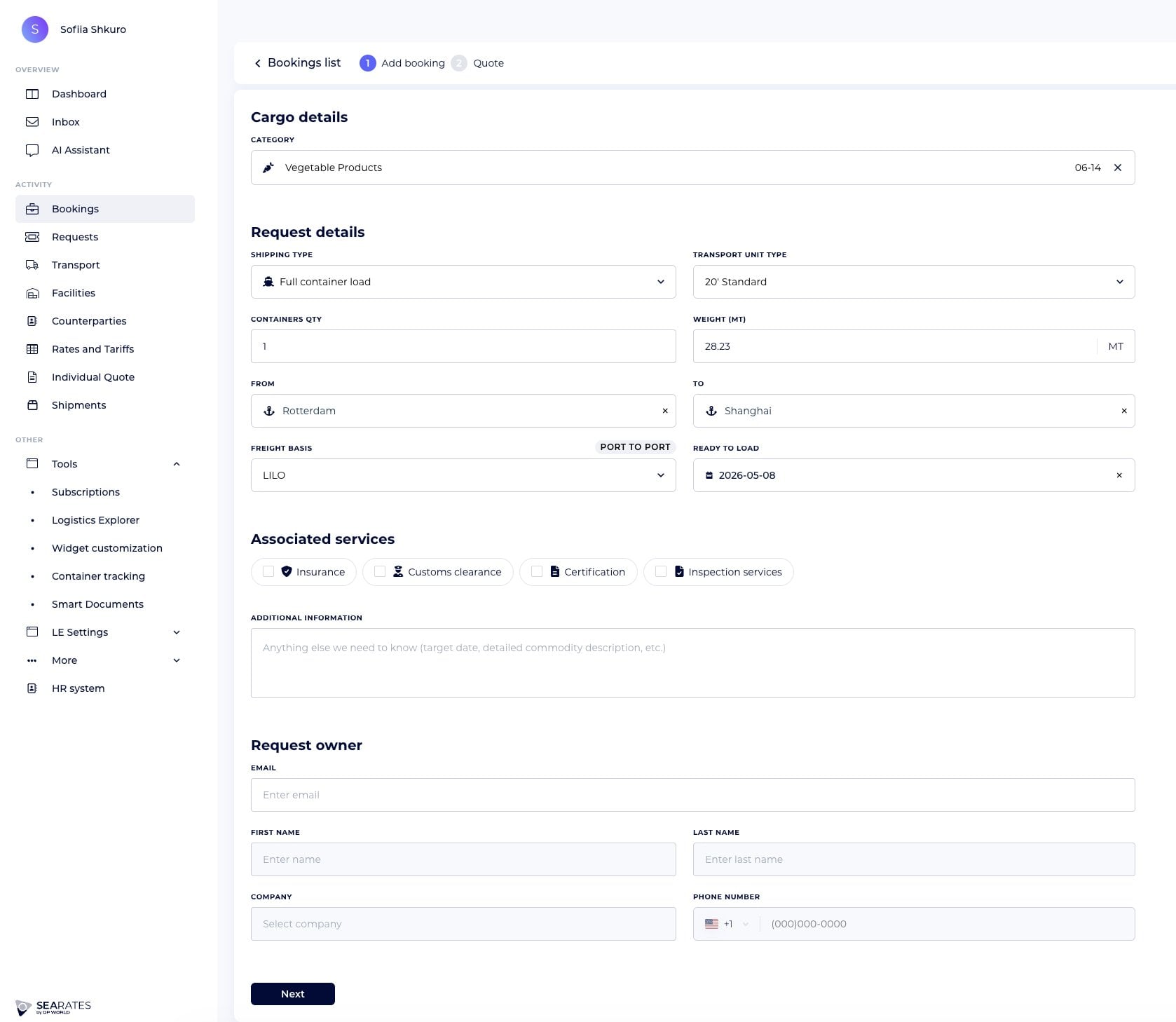
Click the “+” button at the top of the dashboard to add a new booking.
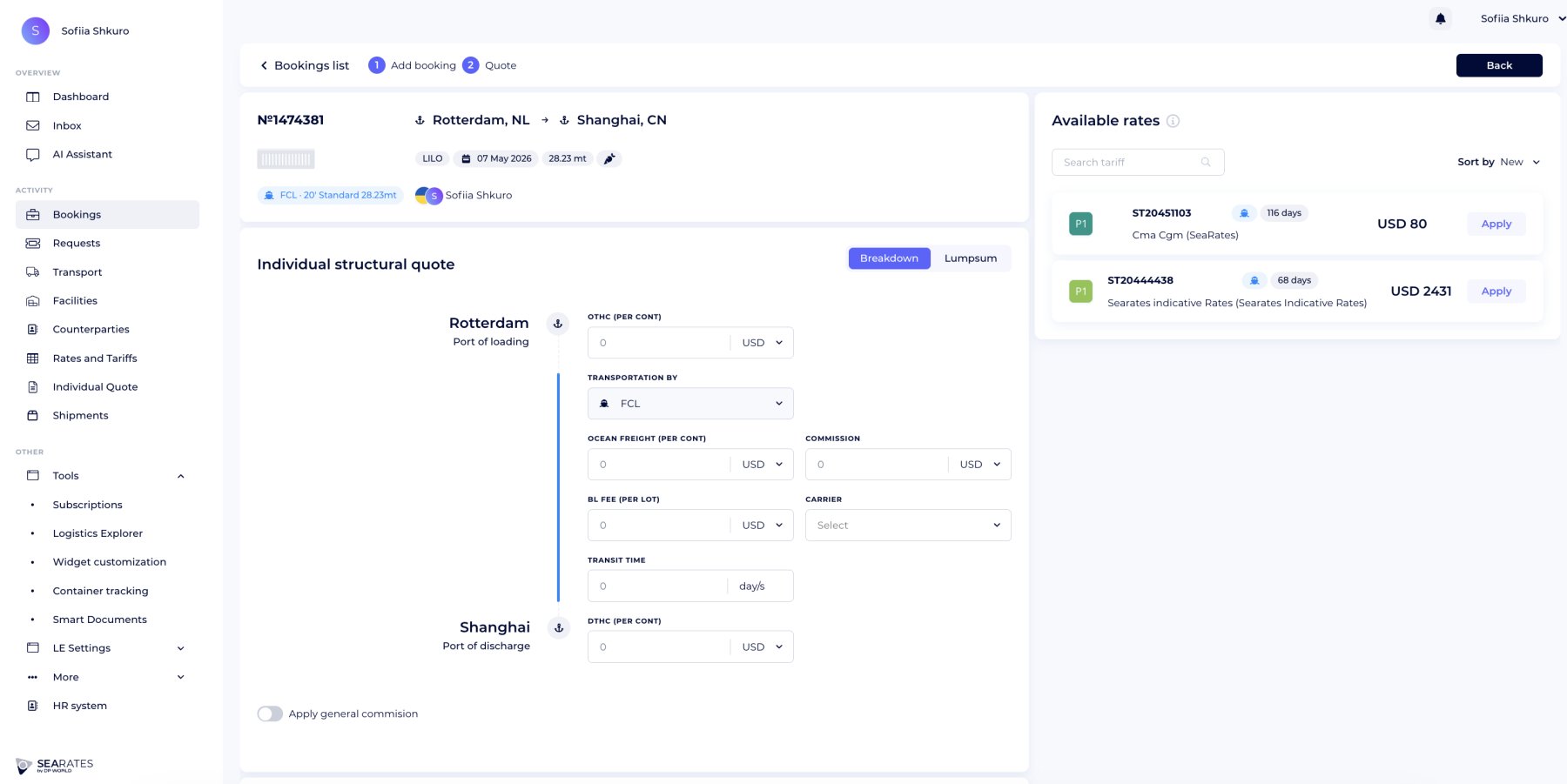
There are two-steps form when you can add booking details and provide a quatation.
Since the Booking System is directly integrated with the Request System and the Quotes Management System, learn more about the features for submitting requests and creating proposals. Once you’ve done your requests and quotes, proceed with the booking system.
Each booking card contains:
- booking number
- origin and destination
- shipment dates
- ETA
- cargo type
- shipment status
- customer information
- freight amount
- shipment route indicators
The booking list helps operations teams quickly monitor shipment activity and prioritize ongoing tasks.
Step 3: Review booking details
Open the booking card to access the shipment workspace.
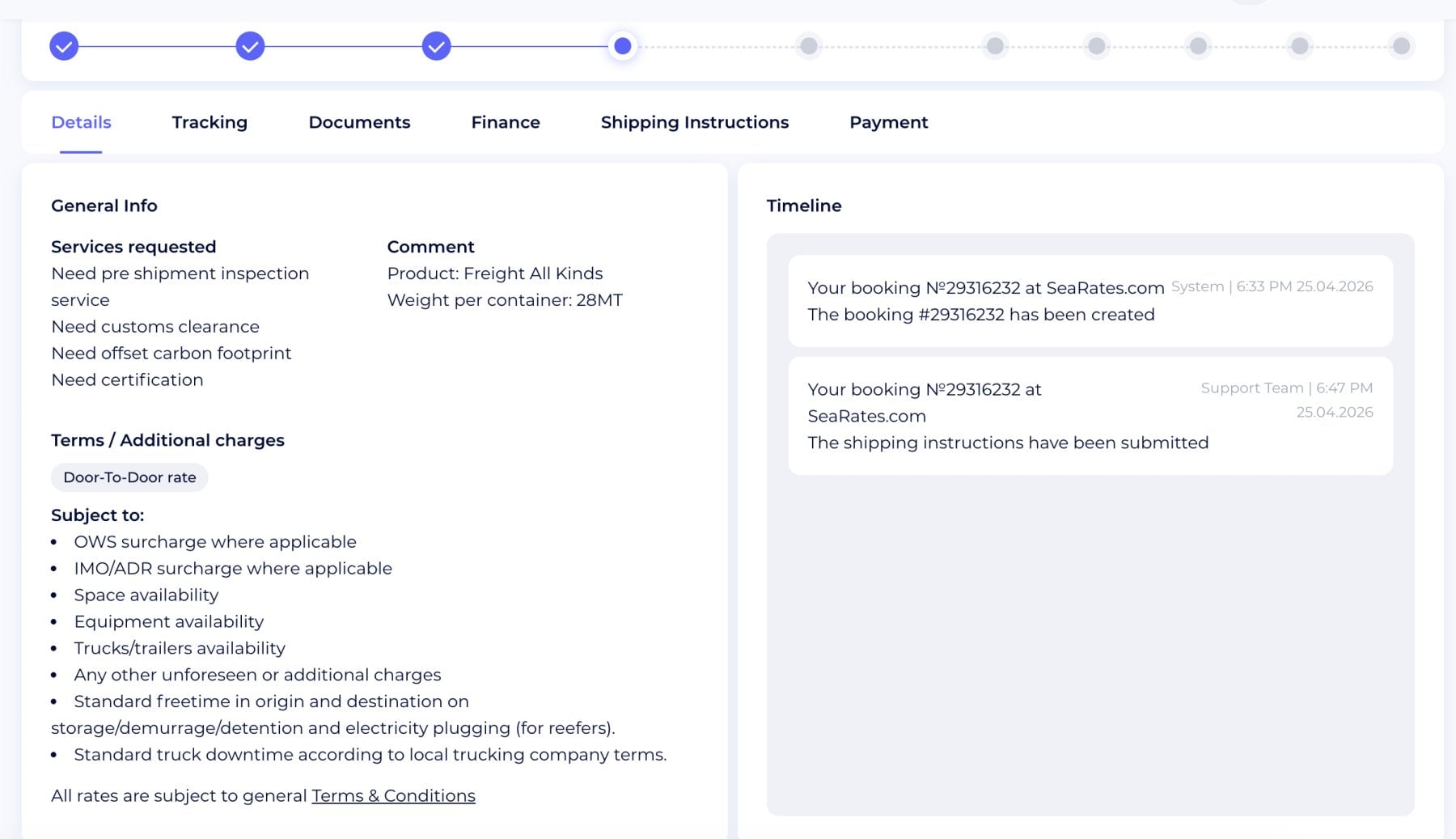
The Details section includes:
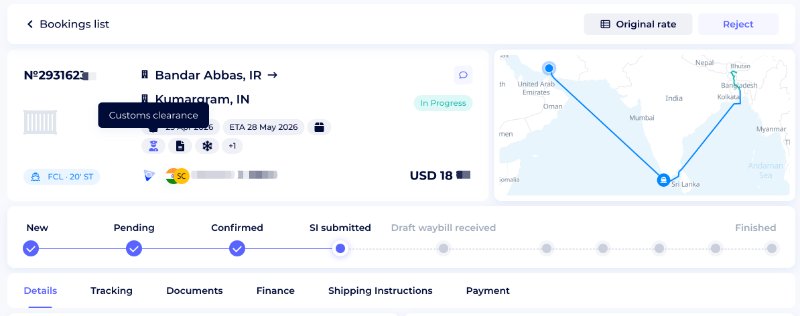
General shipment information
- requested services
- customs clearance requirements
- certification needs
- cargo comments
- shipment remarks
Terms and additional charges
The booking can contain:
- detention terms
- demurrage conditions
- storage information
- local trucking terms
- additional service conditions
Parties and contacts
The system stores all operational participants, including:
- booking owner
- shipper
- consignee
- support contacts
- rate owner
This allows logistics teams to coordinate shipments inside one operational environment.
Step 4: Monitor shipment progress
The Booking System includes a visual shipment timeline that displays booking milestones from booking creation to shipment completion.
Possible booking stages include:
- New
- Pending
- Confirmed
- SI submitted
- Draft waybill received
- Finished
This workflow visibility helps operations teams track shipment progress without external spreadsheets or manual status updates.
Step 5: Manage shipment tracking events
The Tracking tab allows teams to manage transportation milestones across the shipment route.
The system supports:
- departure events
- arrival events
- delivery milestones
- empty return updates
- sea freight shipments involving inland transportation
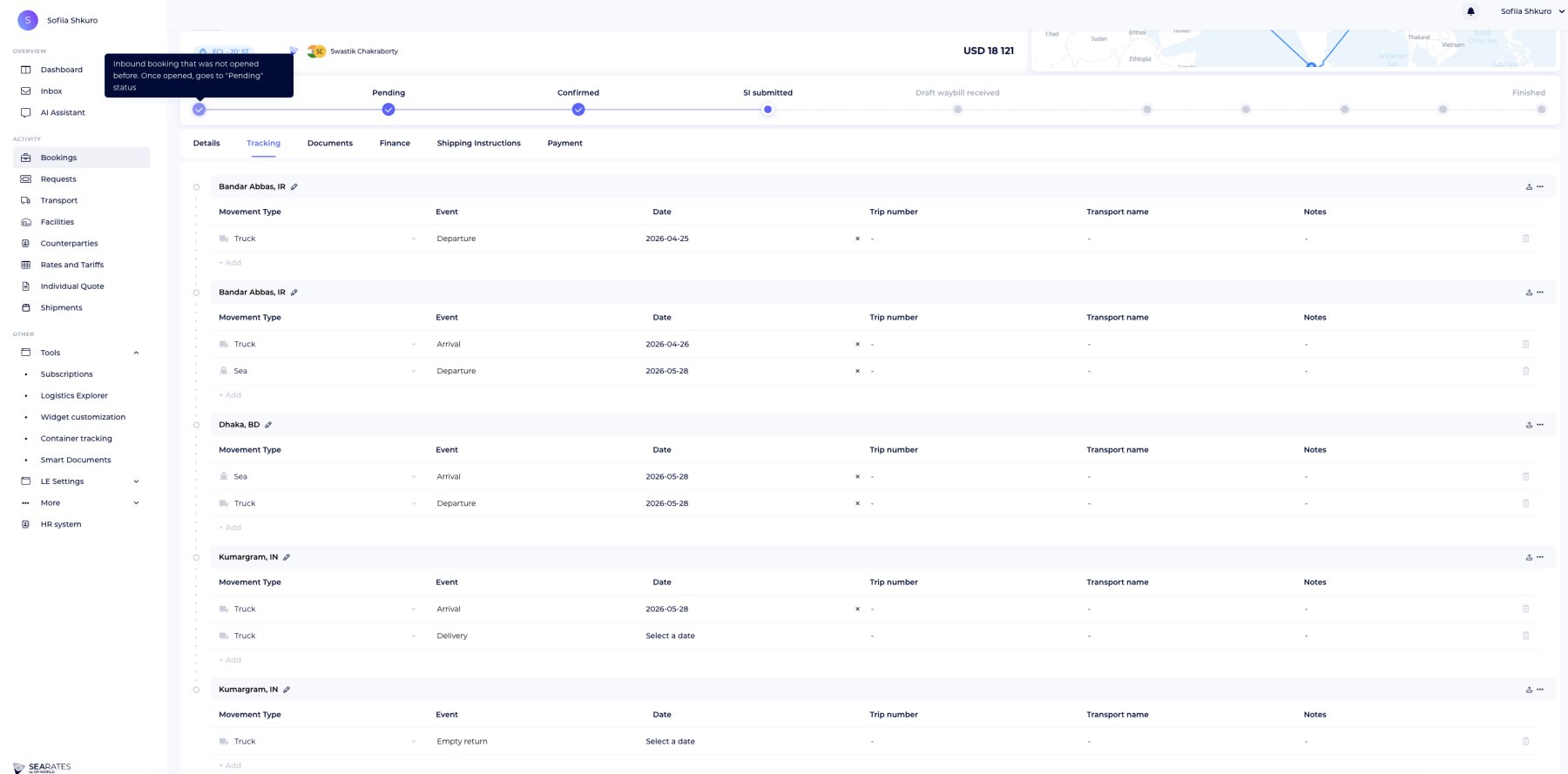
Tracking events can be assigned to:
- truck
- sea
- additional movement stages
This is useful for multimodal sea freight shipments that involve inland transportation and port operations.
Each tracking stage can include:
- event type
- transport mode
- event date
- trip number
- transport information
- operational notes
The route map visualizes shipment movement between locations.
Step 6: Organize shipment documents
The Documents section centralizes booking-related files and shipping documentation.
You can manage:
- shipping instructions
- uploaded files
- document confirmations
- upload history
- document visibility
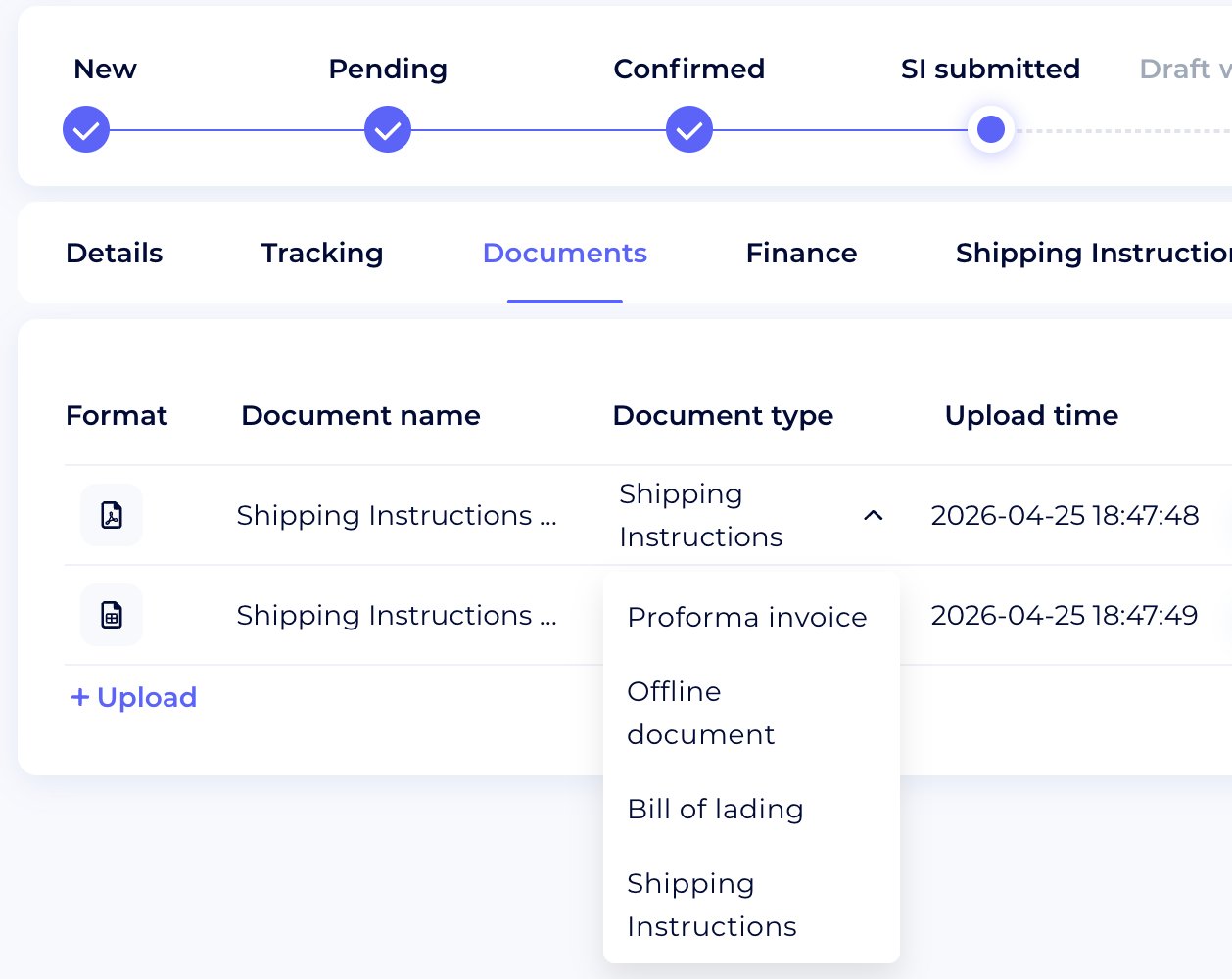
The system stores document status and uploader information for operational transparency.
Step 7: Review booking finances
The Finance tab allows logistics providers to manage booking-related charges and operational costs.
The Finance section helps logistics teams manage sea freight charges, local fees, terminal handling, export services, and booking-related operational costs within one financial process.
Available pricing structures include:
- per container
- per lot
- lump sum
Each section contains:
- currency
- net rate
- sell rate
- quantity
- total amount
The overall product automatically calculates the total booking amount and operational totals.
Step 8: Submit shipping instructions
The Shipping Instructions section stores shipment party information and cargo particulars. The system supports:
Shipment parties
- shipper
- consignee
- notify party
Company details
- company name
- tax identification
- address
- contact information
- freight forwarder references
Cargo particulars
- container numbers
- seal numbers
- package type
- package quantity
- cargo weight
- cargo volume
- IMO class
- cargo description
This helps logistics teams organize shipment information before documentation and cargo release processes.
Step 9: Monitor booking payments
The Payment section allows users to review booking-related invoices and payment status. The system includes:
- payment type
- invoice name
- booking amount
- payment validity
- payment dates
- payment activity status
This simplifies operational payment visibility inside the shipment process.
Step 10: Coordinate shipment communication
The Booking System includes integrated shipment communication practices. Users can:
- send shipment updates
- share booking links
- coordinate operational requests
- communicate inside the booking workspace
This reduces fragmented communication across emails and external messaging platforms.
Original Rate comparison
To improve rate transparency and operational consistency, the Booking System also allows users to compare shipment bookings with the original freight rate from Logistics Explorer:
You can verify operational pricing, compare shipment conditions, review original tariff structures, and control rate consistency.
This is especially useful for freight forwarders managing negotiated sea freight rates and customer-specific shipment conditions.
White-label booking management
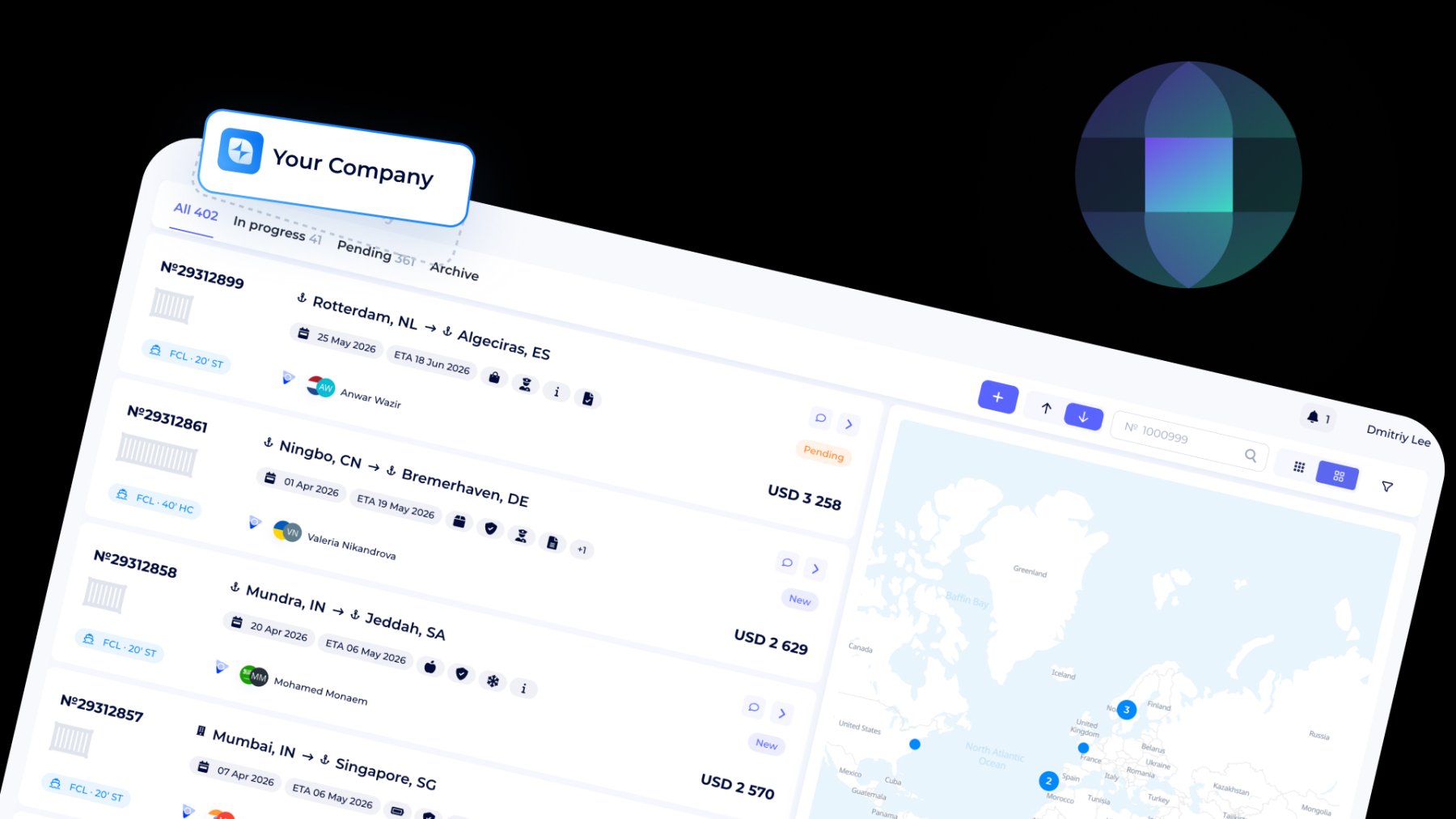
The white-label Booking System enables freight forwarders, logistics companies, and NVOCC operators to provide their customers with sea freight booking management systems that they can use through their business websites.
Logistics companies can use their custom branding to create customer-facing platforms that enable their clients to manage sea freight operations through their system, which shows complete shipment status and handles booking, documentation, and operational tasks.
API integration for booking automation
The SeaRates Booking API enables logistics companies to streamline their sea freight booking process through automated workflows, which connect booking management and shipment tracking and operational tasks to their CRM, ERP, and TMS systems.
FAQ
What is a sea freight booking management system?
A sea freight booking management system is a logistics platform that helps freight forwarders and logistics companies organize bookings, shipment tracking, documentation, financial information, and operational communication in one workspace.
Can the Booking System manage shipment documents and payments together?
Yes. The SeaRates Booking System allows logistics teams to manage shipment documents, shipping instructions, booking-related charges, invoices, payment statuses, and operational workflows inside one centralized booking workspace.
Can I integrate the Booking System with my CRM or ERP?
Yes. The SeaRates Booking API supports integration with CRM, ERP, TMS, and internal logistics systems.
Can booking management systems reduce manual coordination?
Yes. Booking management systems help logistics teams reduce fragmented communication, manual shipment updates, spreadsheet-based coordination, and disconnected operational workflows by centralizing booking activities, shipment visibility, and operational communication.
Manage sea freight bookings in one operational workspace
Handle your bookings, shipment events, freight charges, shipping instructions, customer coordination, and operational tracking without disconnected spreadsheets or fragmented communication tools.
Explore how the SeaRates Booking System helps freight forwarders and logistics providers integrate shipment operations, booking visibility, documentation workflows, and operational communication in one platform.
