
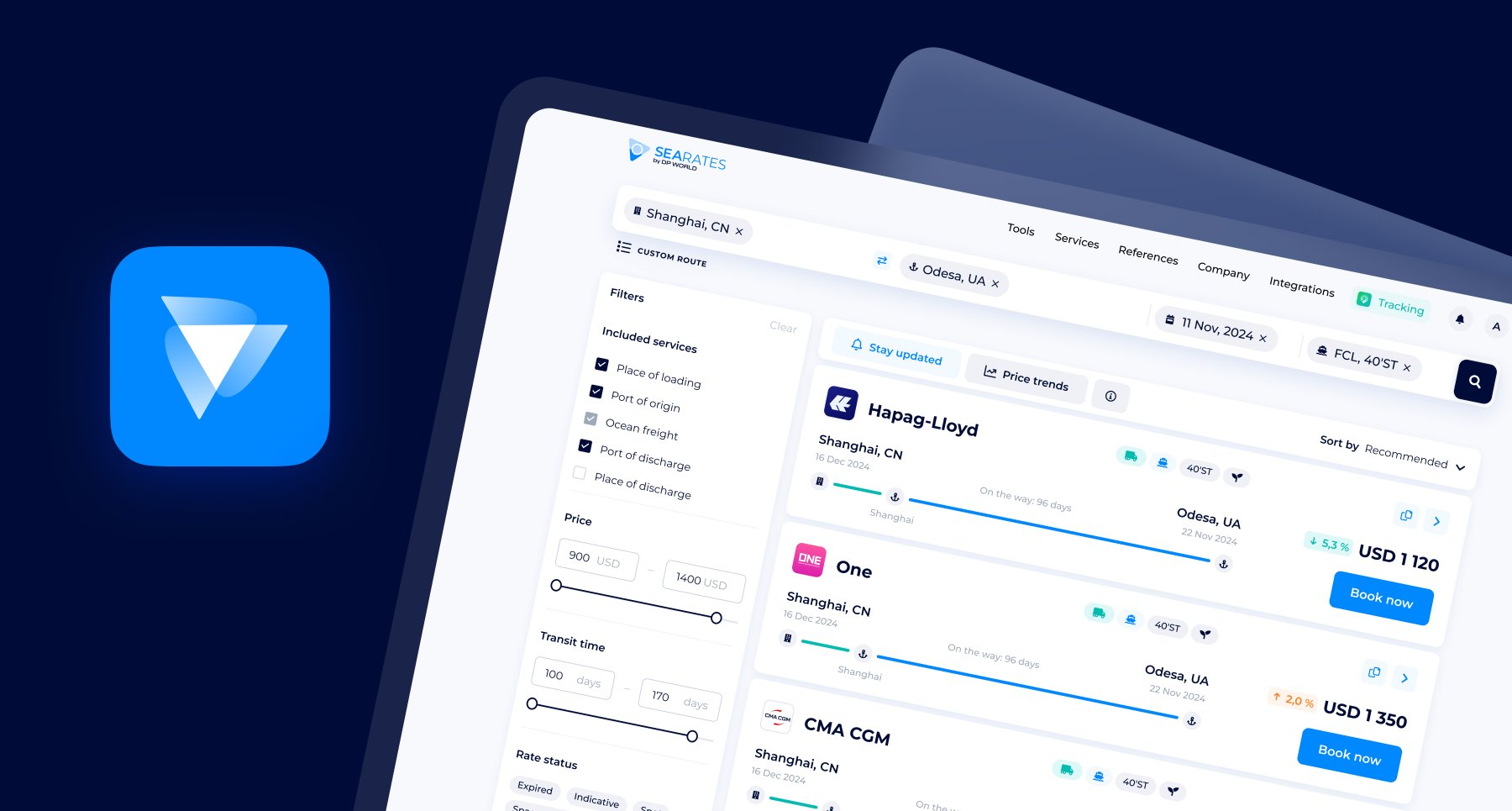
What if you could instantly estimate the freight cost with no hidden charges for any route in the world, all without endless searching or waiting for a quote? In case you are still planning a transportation budget manually, hours are spent searching for and comparing rates instead of closing deals.
Actually, you only need a couple of seconds to gather plenty of benefits: support of all shipping modes and transport types; market-transparent and verified valid rates and alternative route options with all key data about rate and shipment; swift comparison to find the most affordable rates; customized search with extra logistics services; instant booking guarantees cargo space & fixes a favorable price right now.
Everything and much more are available with the Logistics Explorer — your freight rate calculator for sea, air, and land shipping. Let’s continue our guide to discover Logistics Explorer’s functionality for rate searching for shippers/consignees and promotion capabilities for logistics providers.
How does the tool work?
- Sign up here to get free access to rate searches
or
- Let us know about your intention for your own Freight Calculator and get a customized tool to meet your needs.
Let's take a closer look at the Logistics Explorer’s functionality.
How to find the shipping rate?
Start with entering Cities, terminals, zip codes, etc., the date, the shipping mode, and the container type.
As a result, you’ll get freight rates for the particular direction and cargo parameters.
Each rate card contains key info to compare and consider the best option for your shipping. Even when you do not open any, quickly check the following:
- Shipping line/carrier
- Standard/Indicative rate type with validity date
- Shipping mode
- Transit time
- Whether there are transshipment points or a direct route
- CO2 emissions amount
Also, direct Chat with SeaRates Support for each rate and Pre-book option to fix a favorable market price for your shipment and guaranteed cargo space.
Sort results by Recommended, Fastest, or Cheaper; set alerts to be notified about any rate changes or new competitive rates for this route:
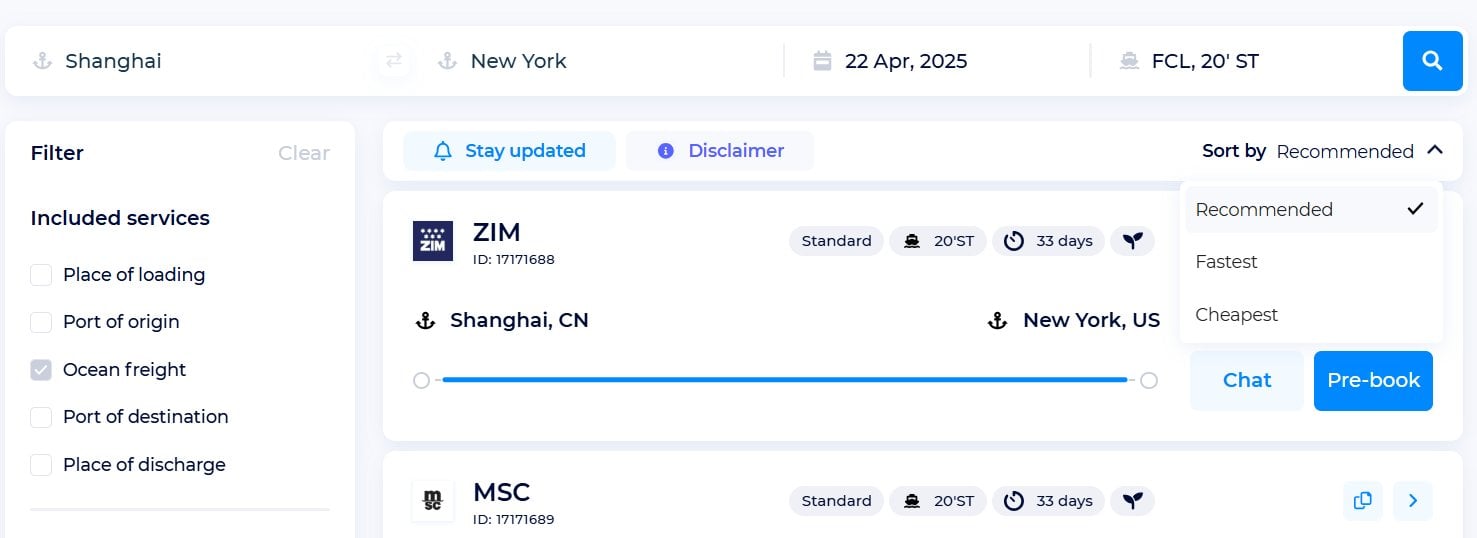
You can also use the Filter:
- apply for Included services such as Place of loading, Port of origin, Port of destination, and Place of discharge
- drag the slider to filter by Price and Transit time
- find Rate status (expired, standard, or indicative)
- a specific Carrier or many
- Ports of loading and discharge
Export the rates result for the route you’re interested in and save it as an Excel file.
How to get more details about each shipping rate? Go to a separate Quote card and Copy the direct link to it with the following extra information:
- Tariff ID number
- Route visualization in real-time
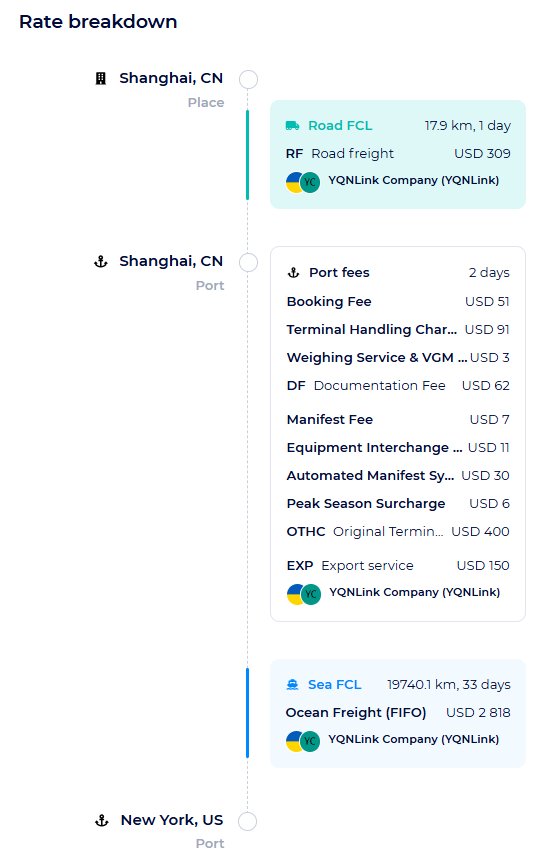
- Detailed Rate breakdown (transport mode, transit time, shipping costs, all included port fees & services, and carriers’ profile)
- Terms/Additional charges
- Validity
- Departures data (check schedule data for the shipping you would like to book via this rate) — also, go directly to the Ship Schedules tool right below the Quote card to find more precise information
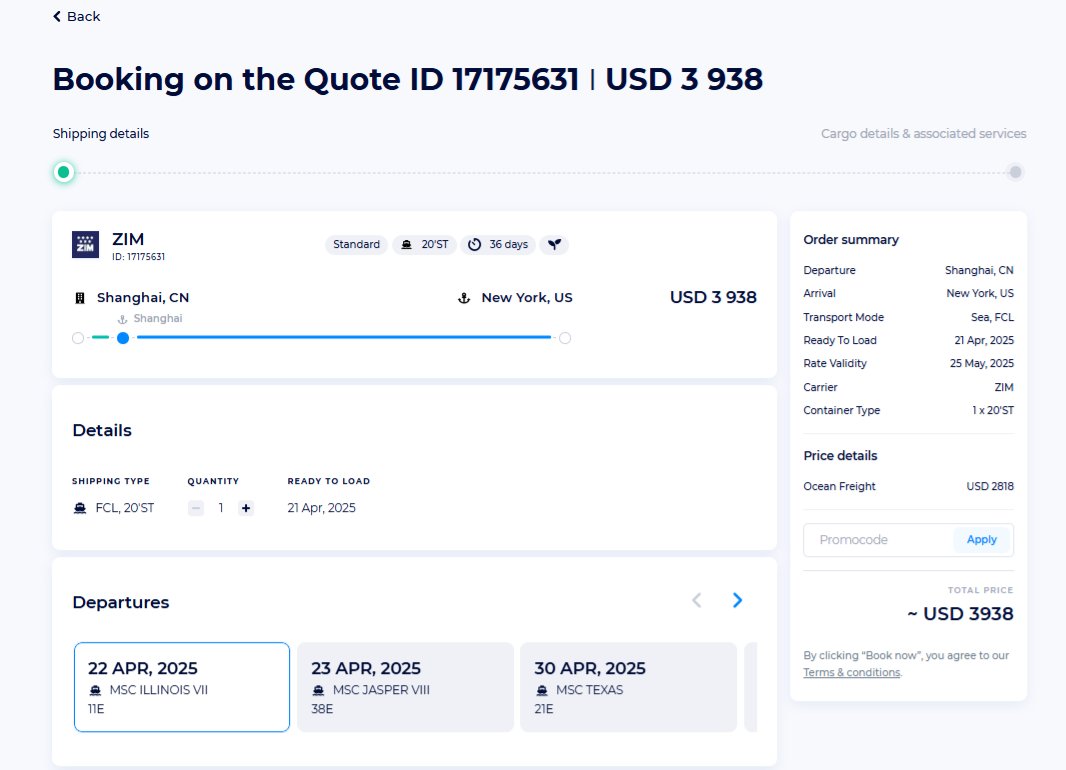
Finally, move forward to Book your rate in two steps!
1. Shipping details:
- Check shipping type, quantity, and ready-to-load date in the Details section;
- Choose among all possible Departures by date, voyage number, and vessel;
- Add the calculated carbon offset for your shipments to your booking — one click to contribute your part to making trade eco-sustainable;
- Check Terms/Additional charges one more time;
- Provide your Contact Details;
- Check the Order summary on the left for details to confirm.
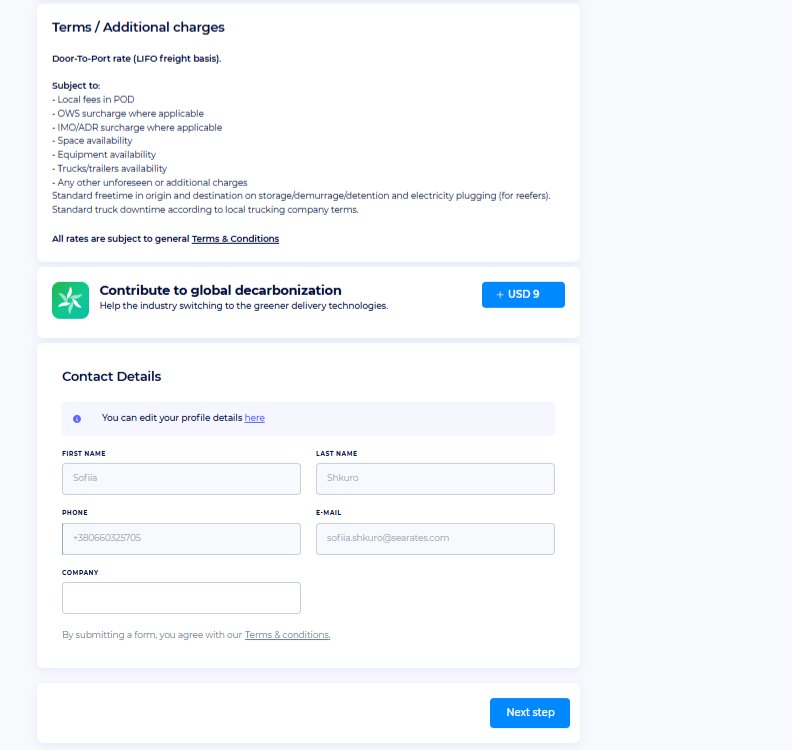
2. Cargo details & associated services:
- Enter commodity type or choose HS code from the drop-down list;
- Specify Weight (per container) in mt or kg;
- Optionally, clarify any additional info and choose from the Associated services (Insurance, Customs clearance, Certification, Inspection services);
- Any invalid value will be highlighted to create the correct booking;
- Finally, check your Order summary and book your shipment at the favorable rate!

Looking for benefits details? Find a description about Logistics Explorer right under the tool.
How to sell rates & generate leads?
You can integrate the entire Logistics Explorer functionality with additional promotion capabilities to provide such services as freight rate searching and comparing to promote your tariffs, resell your partners’ rates, and let a wider audience instantly book with you on your own website or system.
There are two ways to integrate Logistics Explorer:
Web integration
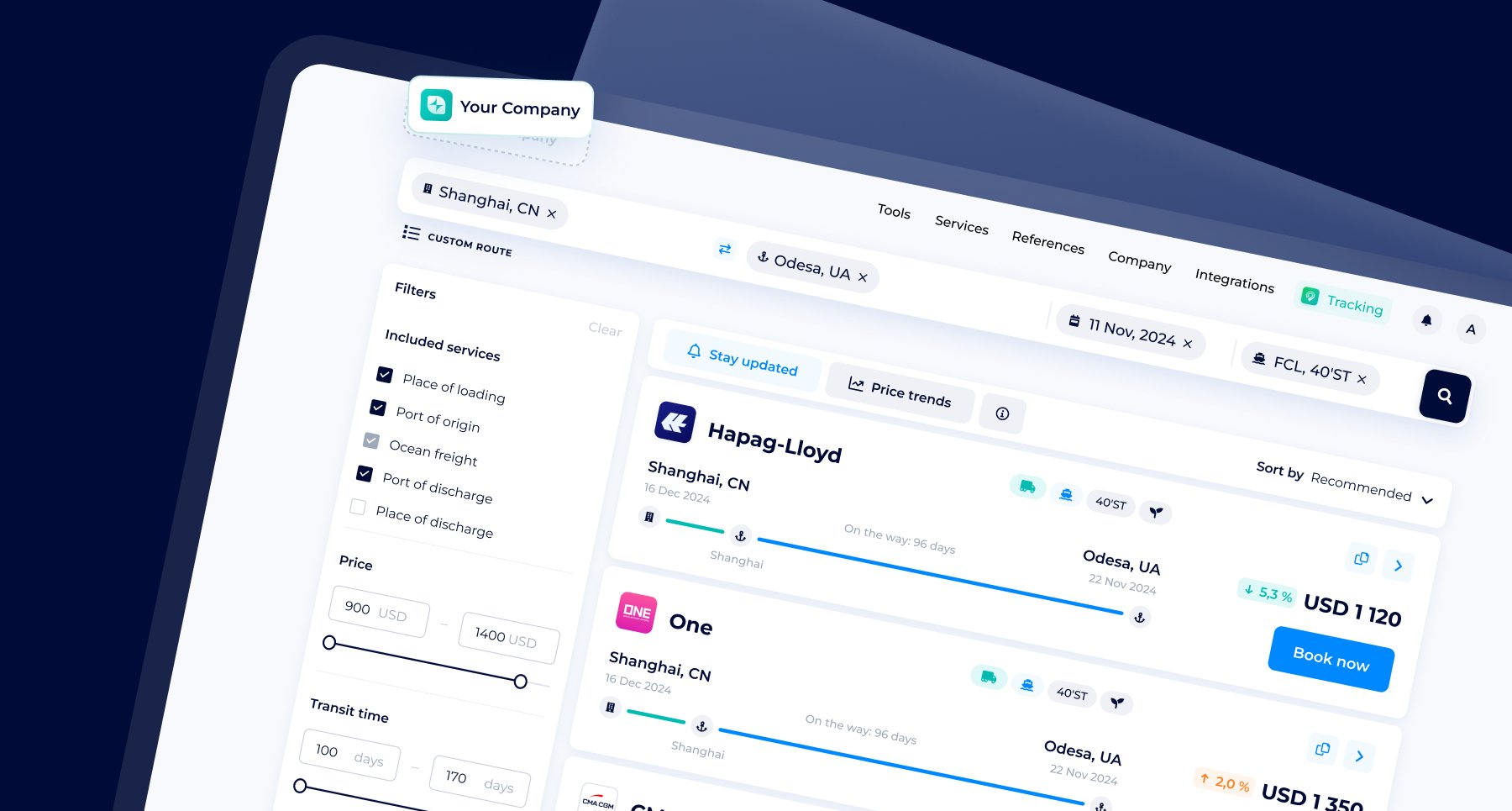
Integrate white-labeled Logistics Explorer to place & promote shipping rates, accept and manage bookings directly on your website, ensuring 24/7 lead generation & quotations.
Carriers can promote sea, air, & land freight rates as well, and trading companies can add all rates for smooth cargo estimations based on any Incoterms. Both will boost sales and automate the pipeline with the freight calculator for any shippers’ needs.
Find the full list of web-integrated features here.
API connection
Synchronize your freight rates with the Logistics Explorer API to gather & promote rates to a broader hot audience. Connect the API to your CRM, ERP, or TMS system. Explore the API documentation on the SeaRates Developer Portal.
You’re always welcome to let us know about your requirements by filling out the Request an IT Quote form or reaching out to us at [email protected] for a tailored solution.
