
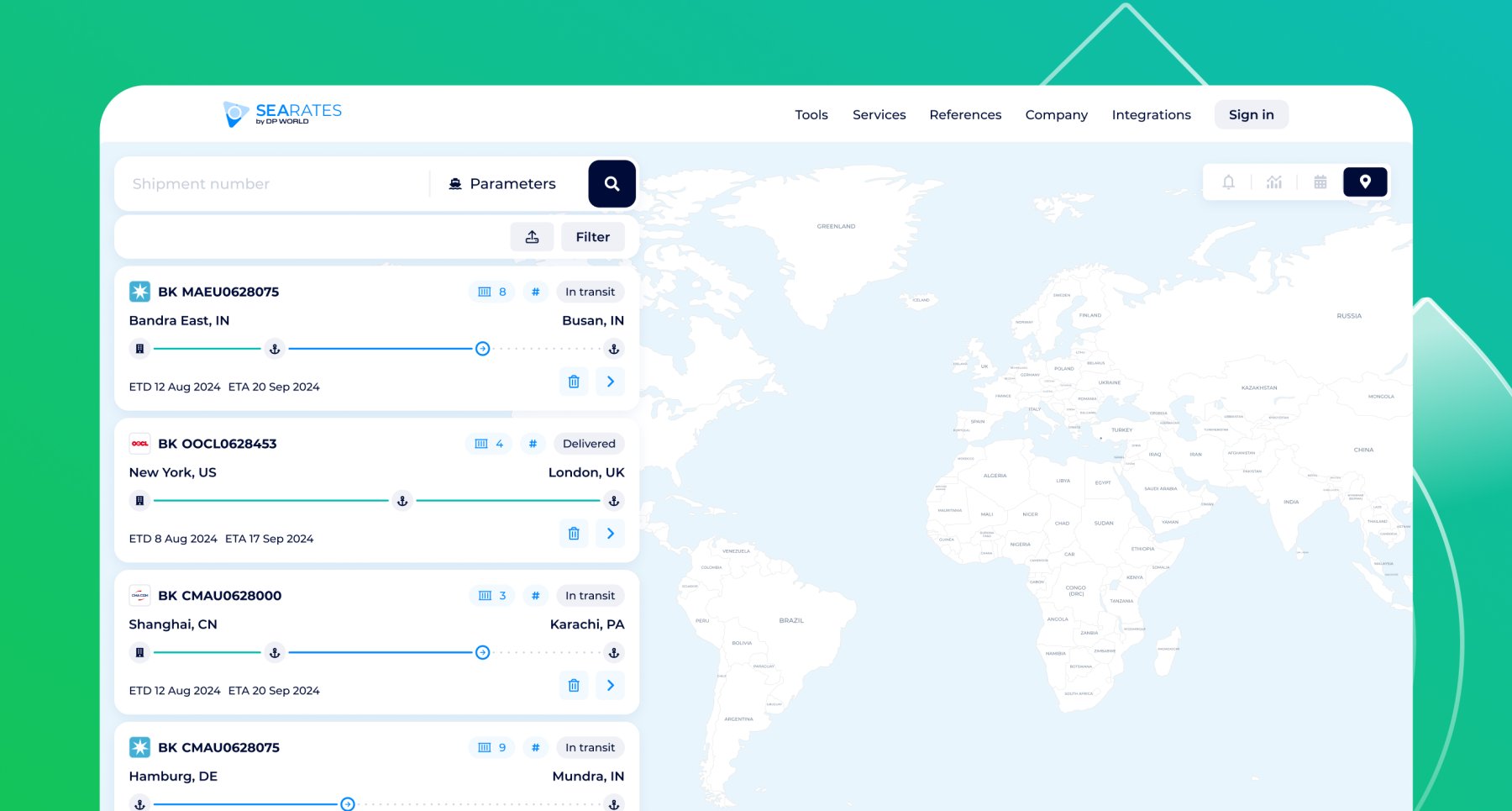
The set of major enhancements to your indispensable freight transportation partner is now available for day-to-day usage with your needs. Our team is pleased to announce Container Tracking System version 3.0 with extended functionality for advanced supply chain monitoring and expanded opportunities to use the API within your business systems.
Are you aiming for simple and precise tracking of your shipments, unique insights from reliable sources, automated updates on any shipping changes, transparency, and more visibility? More to the point, you have access to this in one tool! Below is a tutorial on how to use the SeaRates Container Tracking System to benefit the most from our all-new improvements.
What’s new for the web?
Let's explore the improvements implemented for the web access and web-integrated version of the tool. Get started by simply entering the number of the container (CT), bill of lading (BL), or booking (BK) in the search field or choosing from your recent search history.

On the shipment card, click the 'Update' button to get the latest information on the transportation status, including the following:
- BOOKED
- RECEIVED
- DEPARTED
- IN_TRANSIT
- ARRIVED
- NOTIFIED
- DELIVERED
- CANCELLED
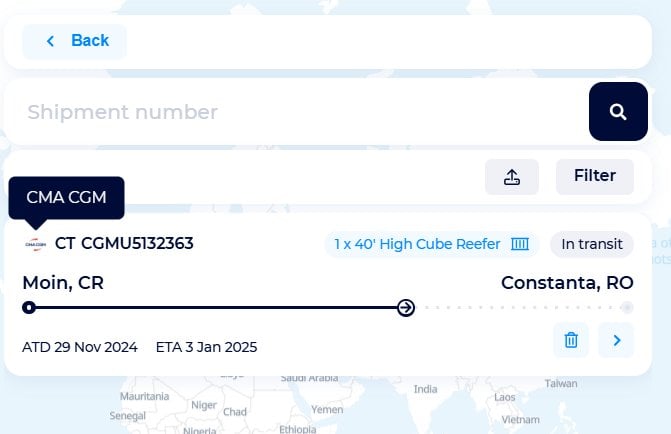
An open shipping card, like a closed one, displays information for quick access: CT/BL/BK, shipping line or carrier logo with tooltips, container type and quantity, status, route points, ATD & ETA, and the option to clear shipment tracking from the search history.
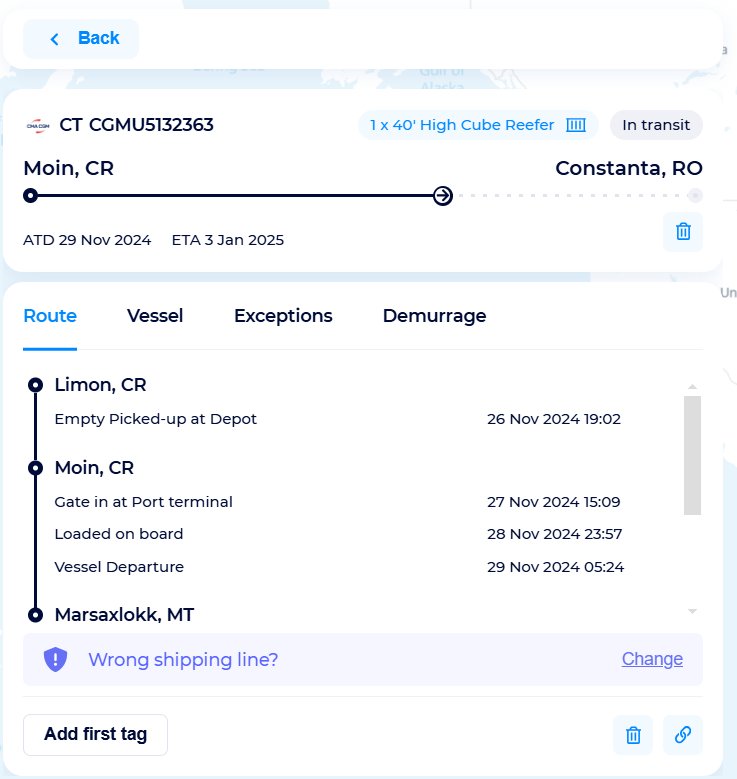
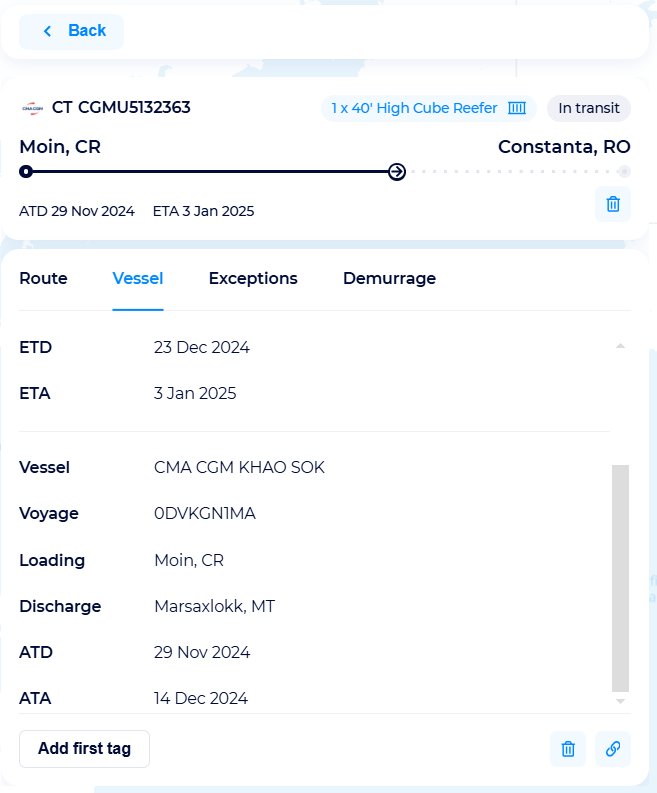
When opening the departure card, you access the standard 'Route' and 'Vessel' tabs and the newly added 'Exceptions' and 'Demurrage' tabs if data are available for a particular shipment.
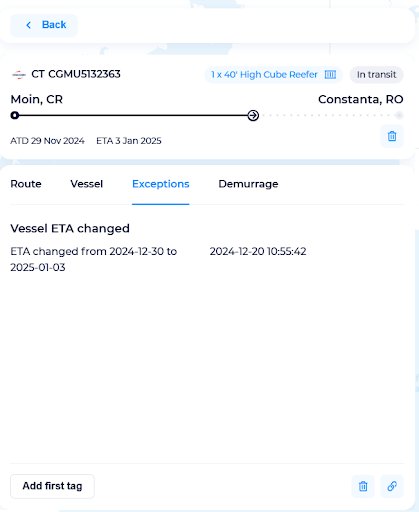

Attach and edit tags to each of your shipments and conveniently filter by number, updates, ETD, ETA, status, and carrier.


Moreover, simultaneous tracking is possible for bulk queries, which can be downloaded in Excel format. Familiarize yourself with all instructions that are available in the tool interface. Bulk upload limits are displayed according to your subscription:

Simply check the available subscription limits by clicking on the button in the upper right corner. To renew a subscription, fill out the Request an IT Quote form, and our experts will provide you with appropriate options.
Here's a look at the functionality of the recently added top menu with the new 4 tabs — 'Map', 'Analytics', 'Notifications', and 'Calendar'. For saved shipments, the ‘Analytics’ tab provides details on statuses, number of containers, and average transit times; the ‘Notifications’ tab contains information on recent updates; the ‘Calendar’ tab provides visibility into logistics events; and the ‘Map’ tab closes the previous tab and returns to a real-time shipment visualization on an interactive world map.


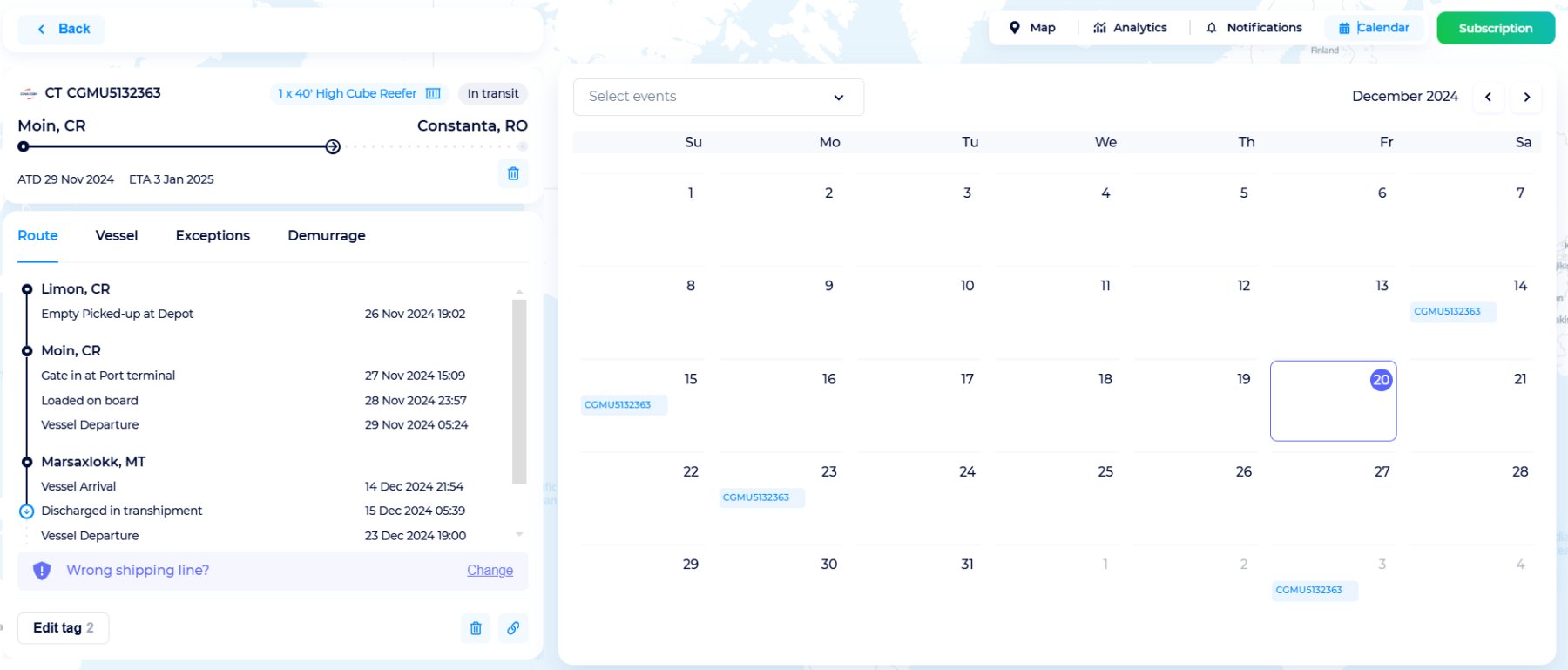
In addition to customizing the map scale, you can also choose the map format depending on their preferences.
Moreover, our team has implemented the translation of the tool's interface into an additional 20 languages, which further improves the localization of our tools. Our web-integrated solutions are fully localized to your website's language to ensure you, as a local business, your website's digital solutions will provide your users with an enhanced experience.

What’s new for API?
Going to the SeaRates Development Portal in the Tracking API section on the left side, find Container Tracking, and access the documentation.

For API V. 3.0, we have implemented a wide range of improvements and added key features, fully improving the completeness of data in responses. Check out the list of improvements:
- enhanced the logic for retrieving additional vessel data;
- improved the logic of location detection;
- updated the logic of AIS data;
- added parameters on Storage, Demurrage, and Detention fees;
- added a new algorithm/formula for predictive ETA determining based on AIS data and parameters on Storage, Demurrage, and Detention fees;
- improved the logic for determining container size and type;
- updated all response examples for API V. 3.0;
- added a description of the ‘size_type’ parameter for the container;
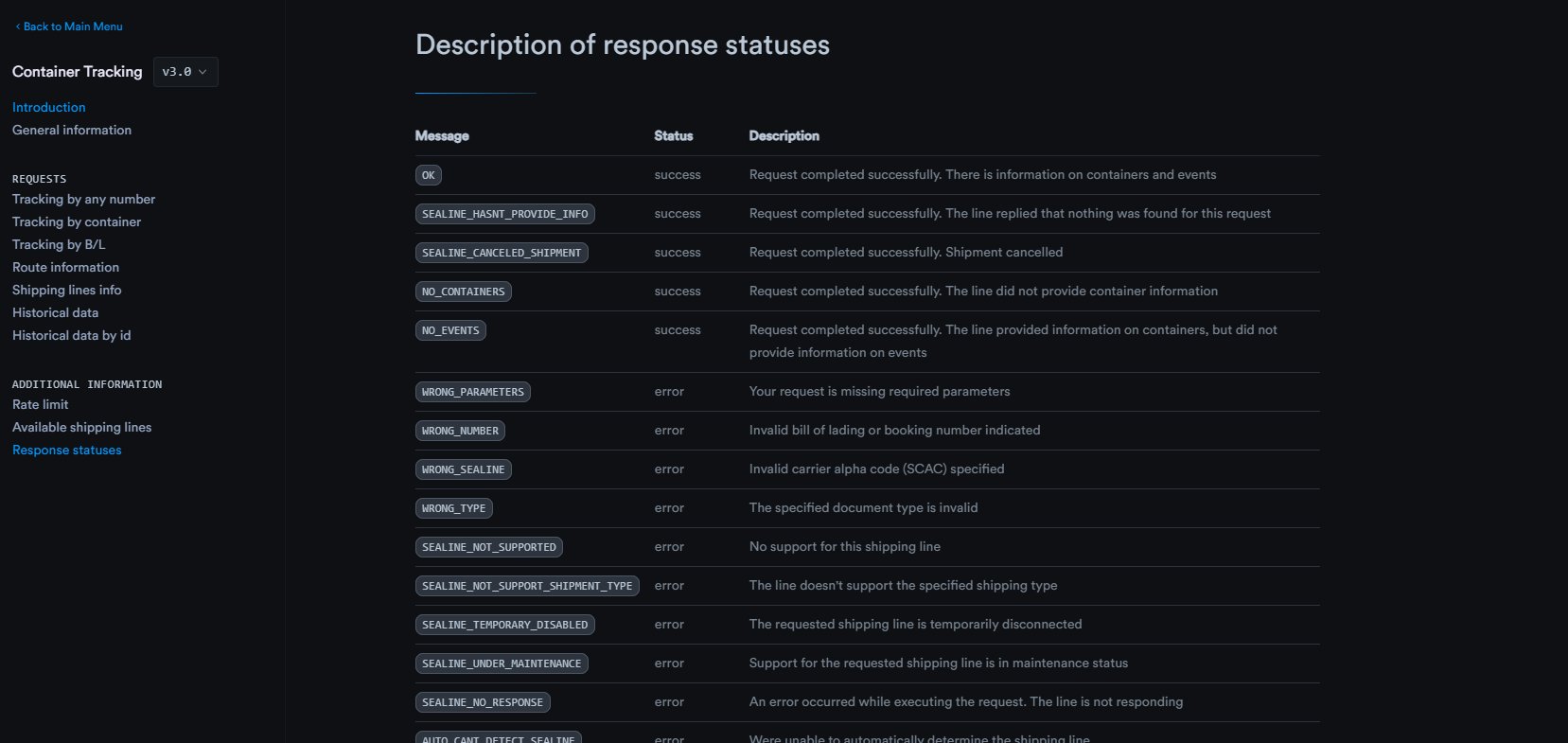
- added a new status ‘SEALINE_NOT_SUPPORT_SHIPMENT_TYPE’ to respond to chosen shipment types that are currently not supported by the particular shipping lines;
- enhanced the response generation logic if the vessel’s name is received from the line containing one of the words — FEEDER, BARGE, or TBN;
- improved the result processing for requests by BL/BK when the number of containers exceeds 100;
- updated the autodetect service for the logic of shipment type and shipping line determining;
- added a new request type for the ability to receive shipment information from certain shipping lines. Simply specify two reference numbers - (BL number with CT number or BK number with CT number) in the request.
Moreover, with an updated Tracking History API, you can utilize improved response processing logic for Predictive ETA estimation, the CT query process for all shipments under BL and BK numbers, as well as routing logic.
All improvements are reflected in the updated API documentation on the Developer Portal.
Find descriptions of general information, tracking requests by any number/by container/by B/L, route information, shipping lines info, historical data, and historical data by ID.
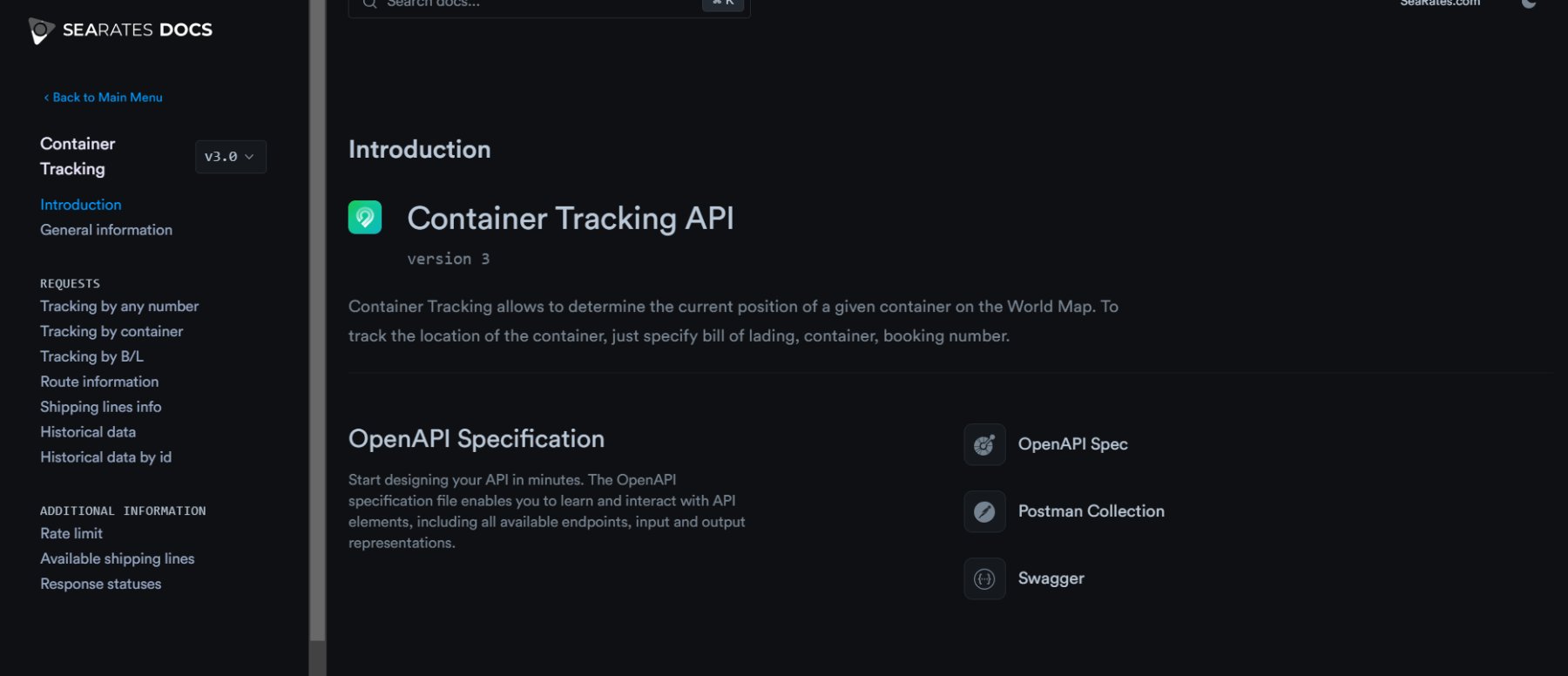
For each request, the documentation contains Query Parameters, Response body schema, and Response example to test your own requests before integrating the Container Tracking System API into your business’ CRM/TMS/ERP system.


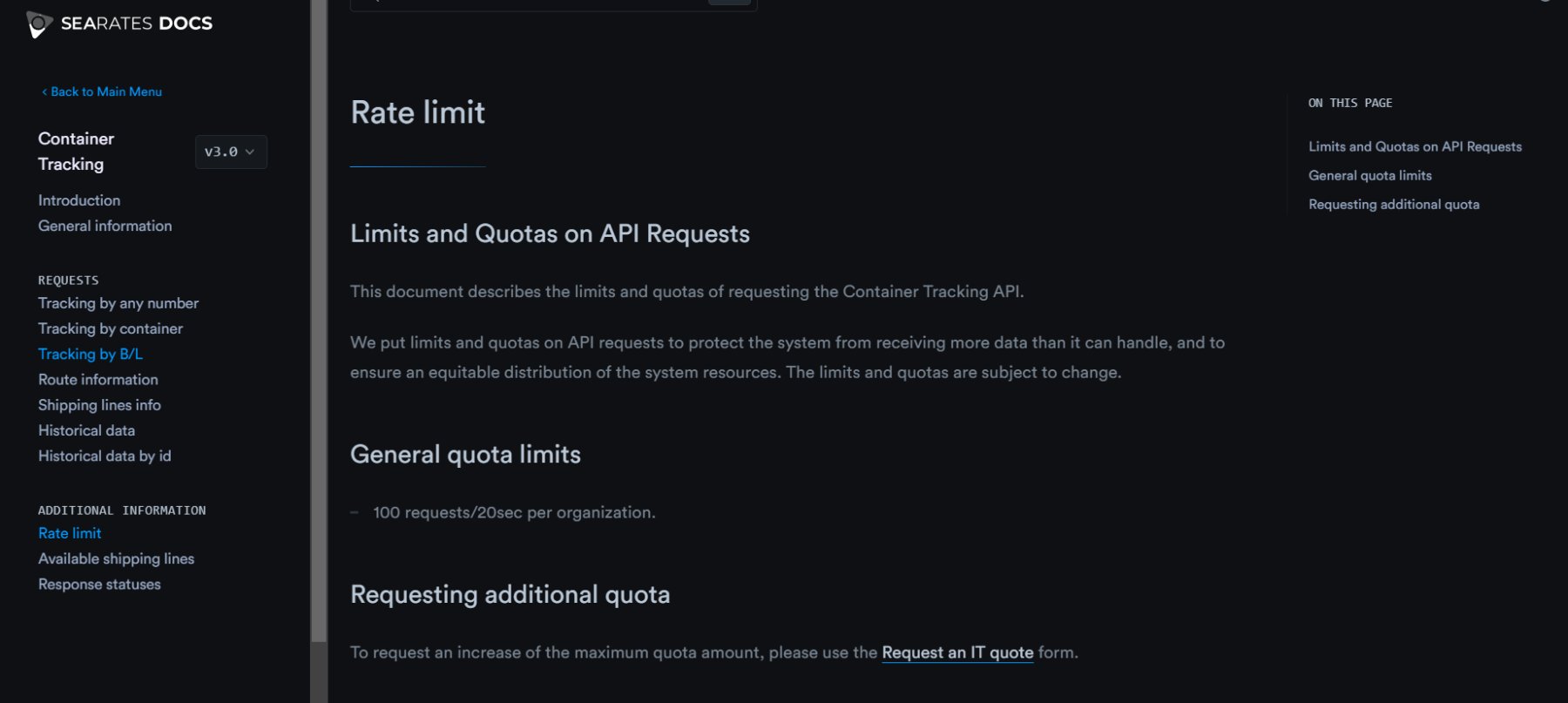
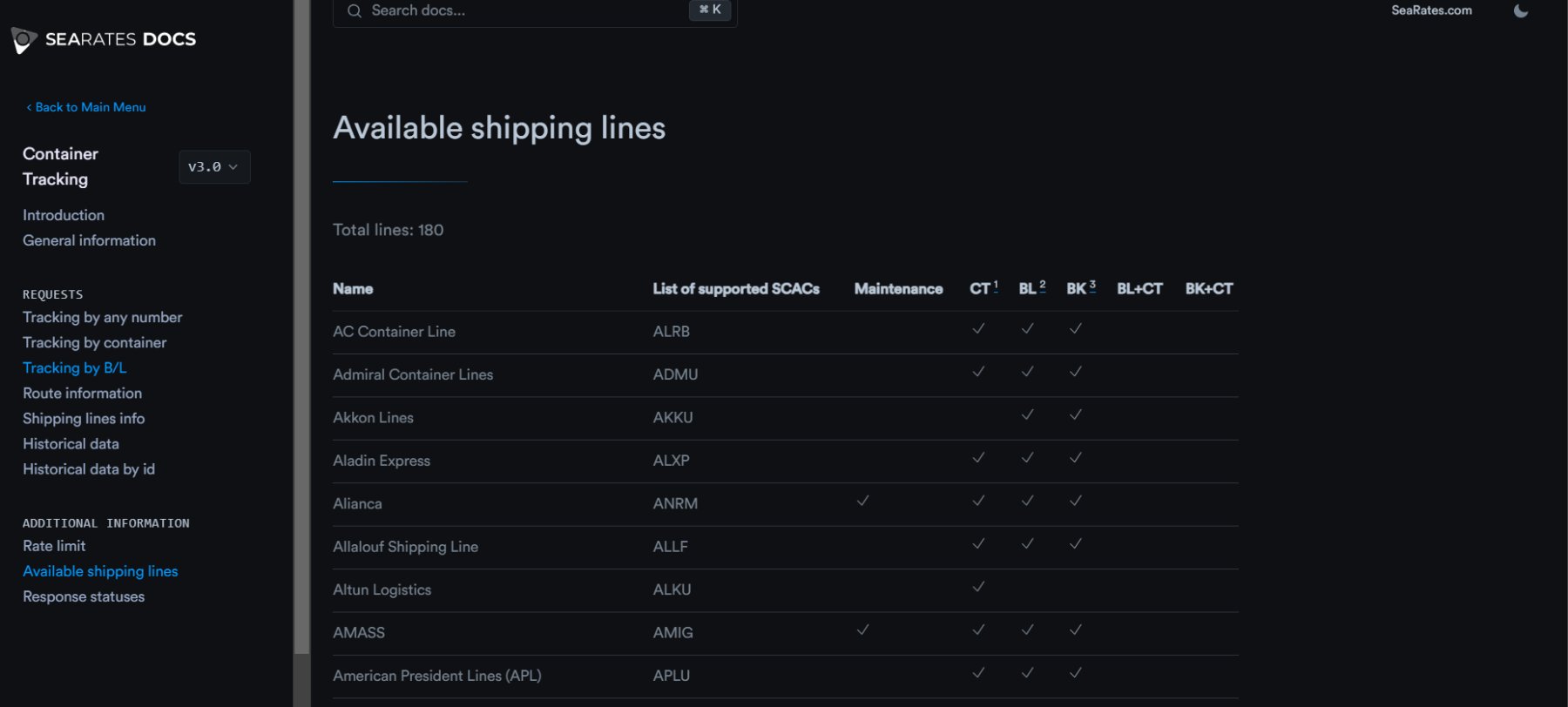
Finally, the section with additional information contains Rate limit with details on Tracking System API limits, a list of Available shipping lines, as well as a view of Response statuses before integration.
Benefits of Tracking System Version 3.0
There are several advantages to using the new version of the Tracking System Version 3.0:
- Convenience and efficiency for optimized operations: The new version streamlines shipment tracking processes in seconds by simply entering CT, BL, or BK numbers. Bulk query capabilities allow for the management of multiple shipments simultaneously, saving valuable time for daily operations. By providing a centralized system for tracking, it reduces the complexity of supply chain management, ensuring operations run more smoothly and efficiently.
- Comprehensive shipment visibility: With statuses, details on vessels, routes, and predictive ETA data, you achieve complete visibility into cargo shipment paths. Such information helps businesses anticipate delays, plan resources effectively, and maintain customer satisfaction by providing precise delivery timelines.
- Improved control and transparency: By providing real-time shipment data, the tool empowers you to respond proactively to challenges in the supply chain. Features like tagging and filtering shipments, ‘Analytics’, ‘Notification’, and ‘Calendar’, tabs allow for organized and efficient logistics management in one place. This heightened level of control ensures accountability and fosters trust with stakeholders and clients.
Summarizing
Created to provide even more accurate real-time tracking of shipments anywhere in the world, SeaRates Container Tracking Version 3.0 processes huge volumes of information from reliable carriers and shipping lines in the blink of an eye. This is a new, easy way of solving all the logistical issues of shippers and carriers with any requirements. We provide full insight into your supply chain with better management and more transparency by SeaRates in this updated version of the Container Tracking.
Get the solution for the highest level of supply chain visibility, as well as extensive capabilities for web integration and API connection. We comprehensively solve the daily challenges of businesses globally by streamlining logistics operations with our IT tools.
Feel free to reach out to [email protected] if you are ready to begin a fruitful journey toward better logistics and trade with the help of our superior IT products and user-friendly integration solutions.
