
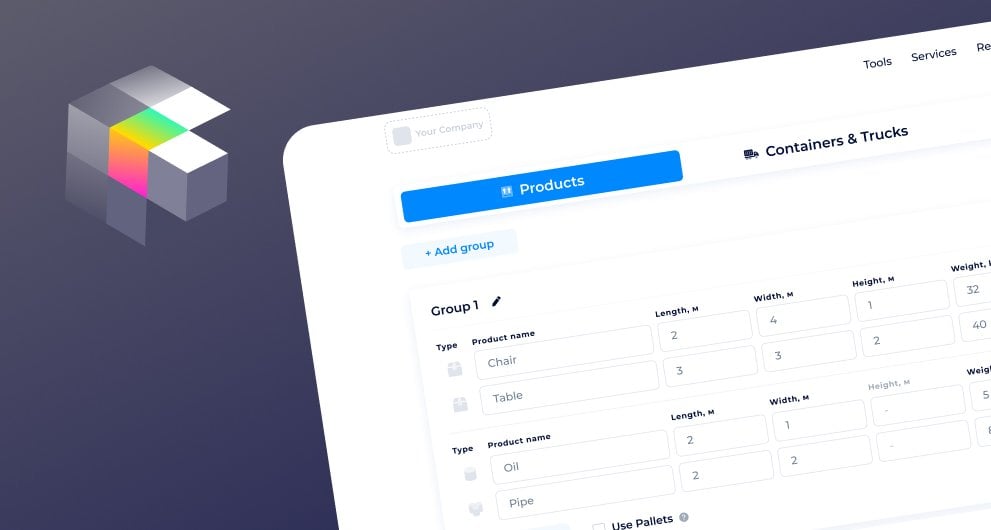
Load Calculator by SeaRates allows you to find the best way to load cargo into a container or truck. This tool optimizes the space inside the vehicle, reduces transportation costs, and ensures the safe delivery of goods.
Wondering how efficient stuffing works? Continue with our guide for more insights on secure and convenient loading to meet your specific needs.
How does the tool work?
- Sign up here to get up to 3 free daily stuffing calculations and up to 20 unique ones monthly. Get your subscription plan to adjust the number of calculations.
or
- Let us know about your intention for your own Load Calculator and get a customized solution to meet your needs.
Let's take a closer look at the calculator’s functionality.
The whole Load Calculator functionality is presented in three main steps: select Products, choose Containers/Trucks, and get a Stuffing Result.
1. Load your packages
Include all groups of commodities you are planning to load. Provide detailed characteristics for each manually, or check the template below to import data on all of your cargo groups at once.

Click on ‘Add Product’ to select the following:
- cargo type — box, big bags, sacks, barrels, rolls, pipes, or bulk
- cargo dimensions — length/diameter, width, height, weight, and quantity
- color
- spacing settings — tilt width or length
- stuffing settings — layers count, mass, and height
Here, you’re forming a product group for loading. The sequence in which you enter product groups is the queue for loading them.
To edit, open the ‘Stack’ tab: spacing, stuffing, or choose Disable stacking.
The palletizing option is also available; just select the pallet type and enter the size for a customized one.
2. Choose transport
Get Automatic Container Selection or select a container or truck by yourself. Find standard sizes or enter custom ones:
For trucks, you can customize the axle load:
“The location of the truck wheels relative to the container and the weight allowed for each axle. F - Front max weight (kg), F - Front offset (cm), R - Rear max weight (kg), R - Rear offset (cm).”
If you have added several groups of packages, you can choose a container or truck for each of them separately with the ‘Load only specific groups’ option.


3. Get stuffing result
Finally, you get detailed report results with a full description of your packages, cargo volume, weight, and more.
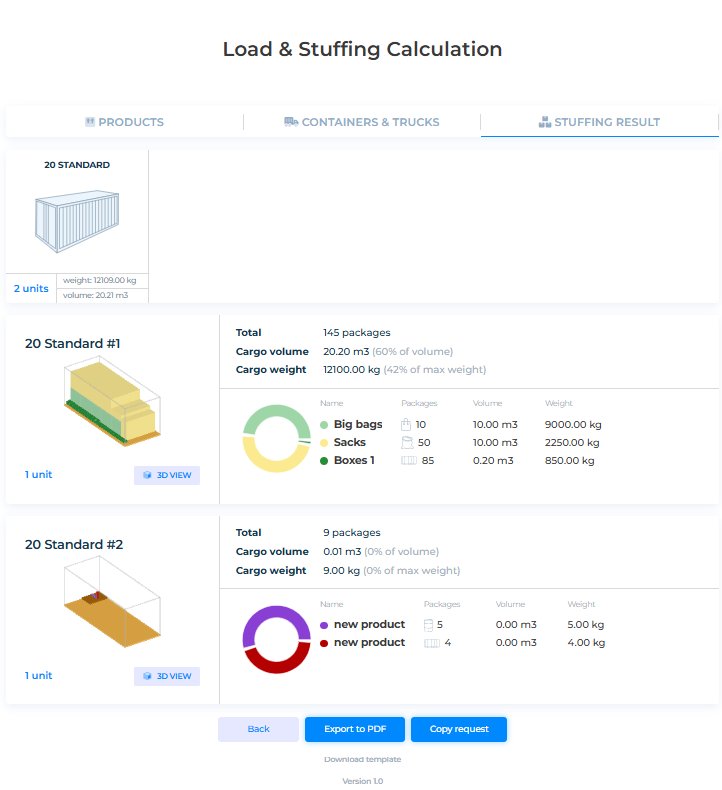
Check the 3D scheme for the proper loading of your packages inside the chosen transport. Different colors are assigned to different products. Download a step-by-step stuffing plan and export results to PDF.
Looking for benefits details? Find a description and Frequently Asked Questions about the Load Calculator right under the tool.
White-label integration

This customized white-label solution allows you to provide stuffing calculations for any cargo type and package in any container or truck format on your own website. Tailor loading and unloading to the individual needs of the carrier and shipper.
Find the full list of web-integrated features here.
API connection
The Load Calculator ensures smooth API integration into your CRM, ERP, or TMS system. Explore the API documentation for the Load Calculator in the SeaRates Developer Portal.
Find Your Customized Load Calculator Plan
Let us know about your requirements by filling out the Request an IT Quote form or reaching out to us at [email protected] for a tailored digital freight management solution.
